
Oblique Prism Construction and Demonstration by k.goodwin
Loading the math board and drawing, please wait…
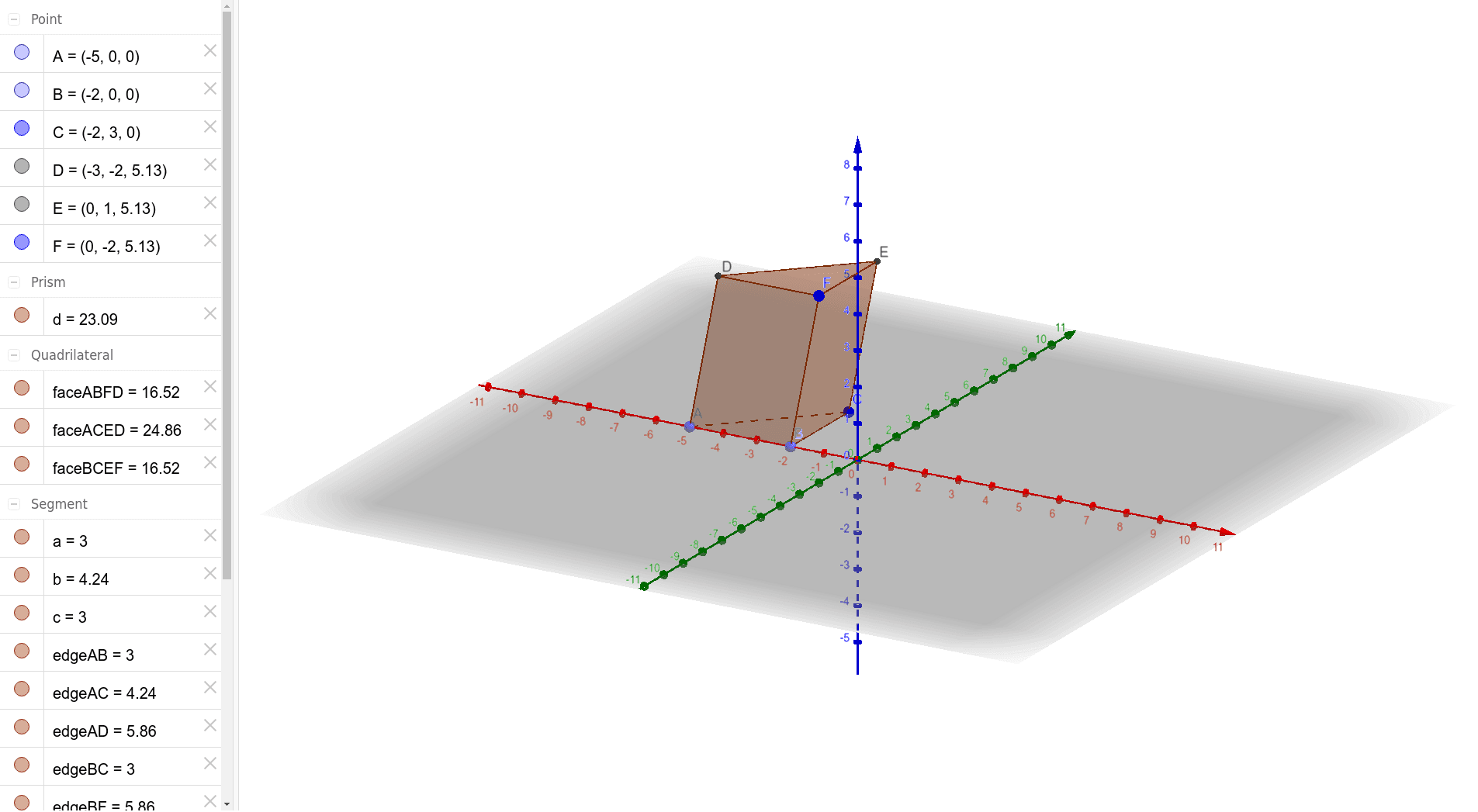
This example demonstrates the geometric construction and properties of an oblique prism. It involves core mathematical concepts such as prism, surface area, area calculation, translation, and logarithmic functions. The construction uses GeoGebra commands like Point, Polygon, and Prism, along with objects A, B, C, poly1, etc. It is suitable for high school solid geometry teaching and learning, helping students understand the structure and calculations of oblique prisms.
GeoGebra Commands & Parameters
Point(xAxis) → APoint(xAxis) → BPolygon(A, B, C) → poly1, c, a, bPrism(B, A, C, F) → d, D, edgeBC, edgeBF, edgeAD, edgeCE, edgeDF, edgeDE, edgeEF, E, faceABC, faceABFD, faceACED, faceBCEF, faceDEF, edgeAB, edgeAC
AI Drawing Prompt Reference
Draw an oblique prism to demonstrate its geometric construction and properties. Start by creating a triangular base using two intersecting line segments. Then, translate this triangle along a direction perpendicular to the base to form a parallel and congruent triangle, connecting the corresponding vertices of the two triangles to create the lateral faces of the prism. Label the bases and lateral faces, and display key edges and faces to understand the structure and calculations of the oblique prism.
The prompt above was compiled from the original drawing commands and is for reference only.