
Oblique Cone Construction
Loading the math board and drawing, please wait…
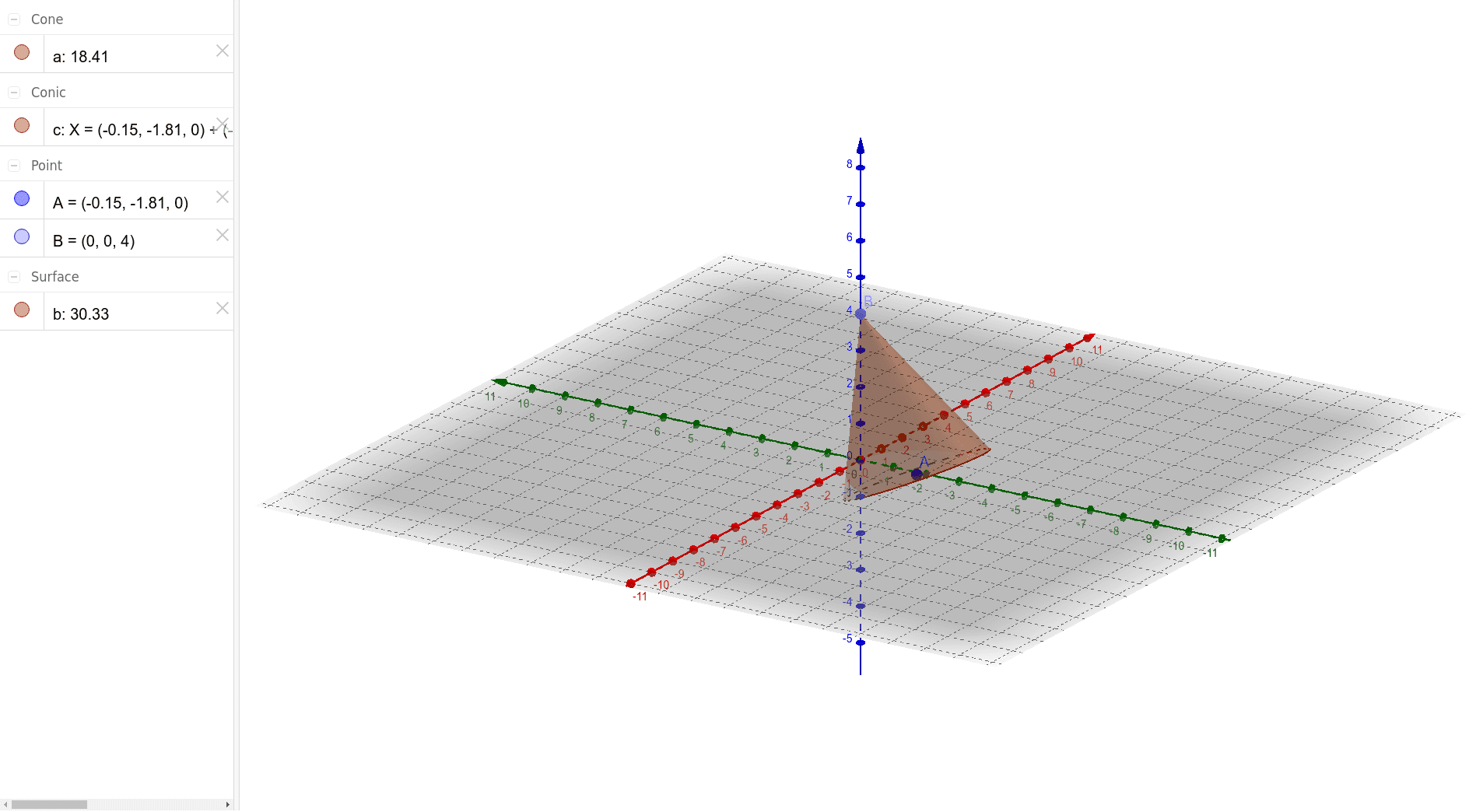
This example demonstrates how to draw an oblique cone using GeoGebra. Key mathematical concepts include solid geometry, specifically cones, and vectors. By creating points A and B, constructing vectors a and c, and using these objects to draw the oblique cone, this is suitable for high school students and teachers for geometric construction lessons.
GeoGebra Commands & Parameters
Point(zAxis) → BCone(A, B, 2) → a, c, b
AI Drawing Prompt Reference
Draw an oblique cone in 3D space. Start by placing a vertex point on the vertical axis, then set a base center point. Use these two points to define a direction vector from the base center to the vertex, and a radius vector perpendicular to it. With these vectors and a given base radius length, construct the cone's lateral surface and base outline, resulting in a cone whose apex is not directly above the base center. The final figure should clearly show the circular base, the curved lateral surface, and the slant edges connecting the apex to the base circumference.
The prompt above was compiled from the original drawing commands and is for reference only.