
Numerical Derivative Calculation
Loading the math board and drawing, please wait…
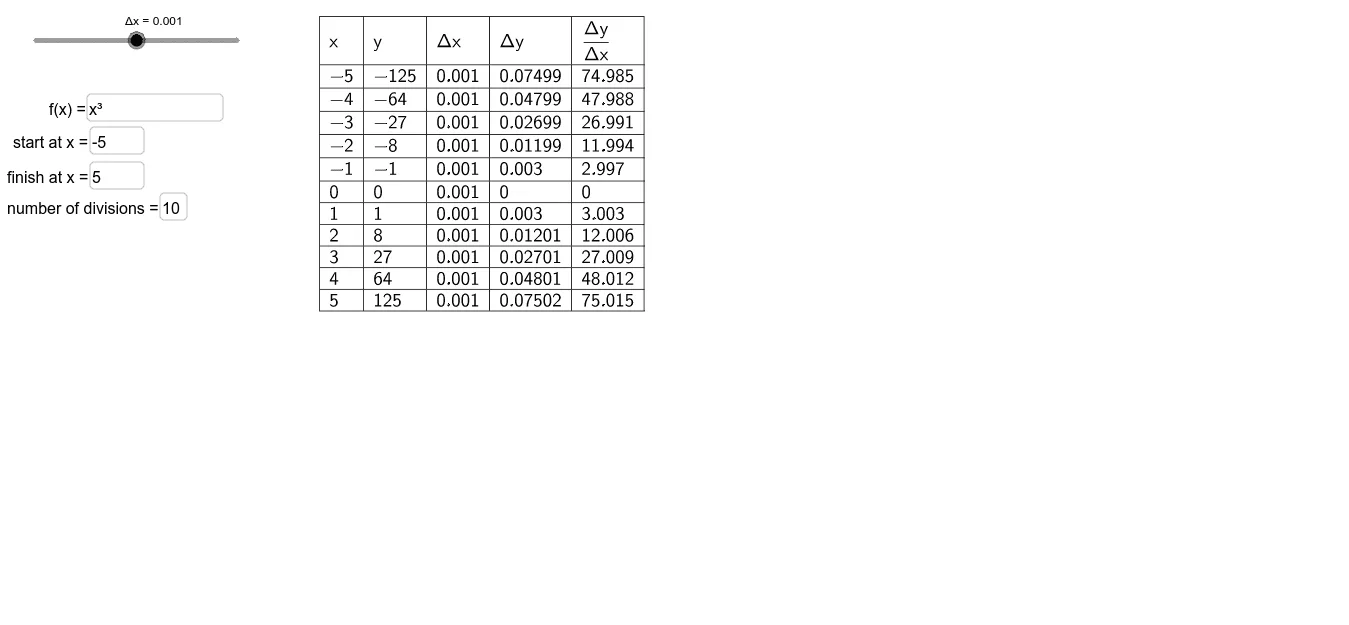
This example demonstrates how to calculate the derivative of a function numerically at a specific point. Key math concepts involved include the definition of the derivative, numerical differentiation, and the concept of limits. Construction highlights the use of GeoGebra commands and objects like Textfield, Sequence, and TableText to dynamically show the derivative calculation process by inputting function and step size parameters. Suitable for high school and above students learning about the derivative concept in calculus.
GeoGebra Commands & Parameters
Textfield(f) → InputBox1Textfield(a) → InputBox2Textfield(b) → InputBox3Sequence(k, k, a, b, w) → XTextfield(n) → InputBox4Sequence(f(k + Δx) - f(k), k, a, b, w) → ΔYSequence(Δx, k, 0, n) → ΔXTableText({Append["x", X], Append["y", Y], Append["Δx", ΔX], Append["Δy", ΔY], Append[text2, slope]}, "v|_") → text1
AI Drawing Prompt Reference
Plot the numerical derivative of a function f(x) at point a. Enter the function expression, value of point a, step size b, and number of steps n to generate a series of x values, corresponding function values, Δx, and Δy, then calculate and display the slope.
The prompt above was compiled from the original drawing commands and is for reference only.