
Number Line Using Integers: A Mathematical Demonstration
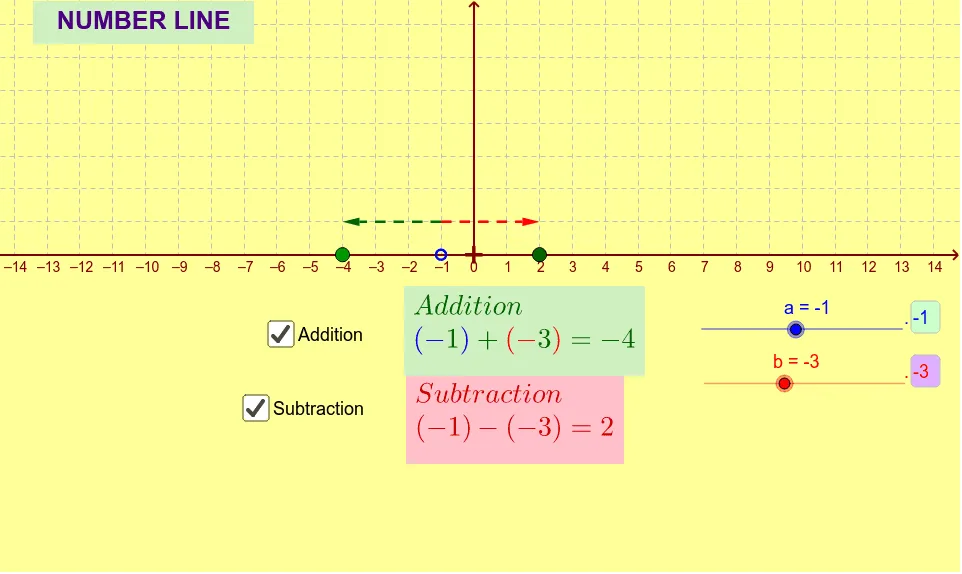
Loading the math board and drawing, please wait…
This example demonstrates the concept of integers on a number line, combining algebra and geometry. Key mathematical concepts include integers, coordinate systems, and geometric transformations. Construction involves using GeoGebra commands such as Textfield, Vector, and inputBox to create the number line and mark integers. Suitable for middle school students to learn basic integer concepts and the connection between algebra and geometry.
GeoGebra Commands & Parameters
Textfield(a) → inputBox1Textfield(b) → inputBox2Vector(G, E) → uVector(G, F) → v
AI Drawing Prompt Reference
Draw a horizontal number line marked with integer ticks, and add two adjustable input fields that set the line’s start and end integers. From a common point above the line, draw two vectors pointing to distinct endpoints, forming a triangle that illustrates the connection between integers and vector geometry. The vectors originate from the same origin and extend to points that can be moved, showing how integer positions correspond to vector components.
The prompt above was compiled from the original drawing commands and is for reference only.