
New Cosine Rule Demonstration
Loading the math board and drawing, please wait…
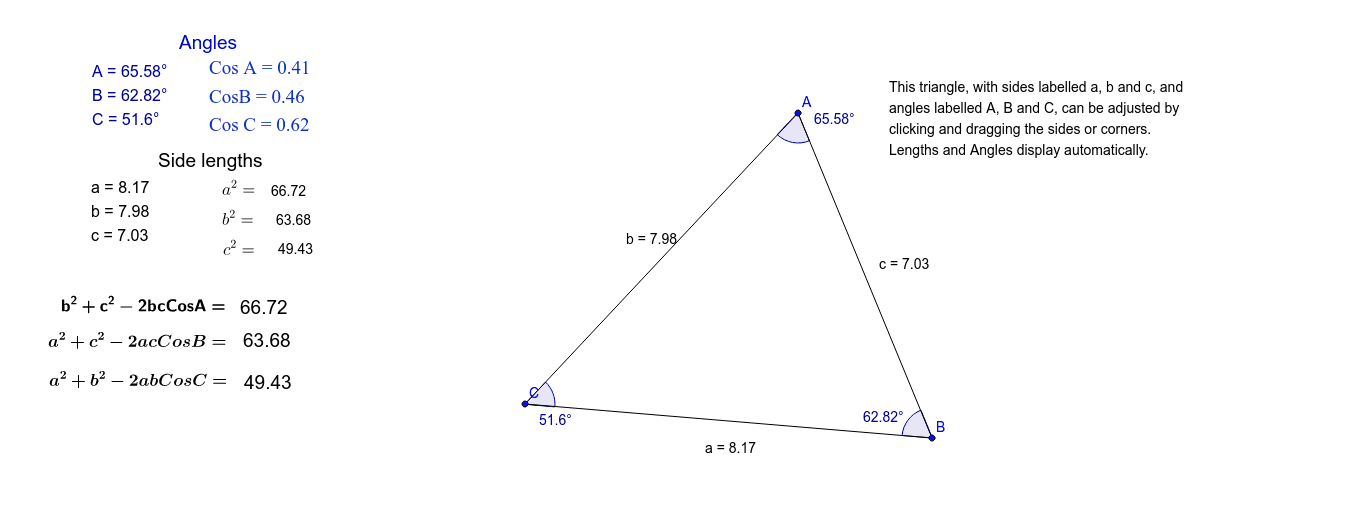
This example demonstrates how the 'new' Cosine Rule works for any given triangle. It involves core math concepts like the Cosine Rule, triangle geometry. Constructed using GeoGebra commands such as Segment, Distance, Angle, and objects like points, lines, and texts. Suitable for high school mathematics teaching or self-study on understanding and applying the Cosine Rule.
GeoGebra Commands & Parameters
Segment(B, A) → cSegment(A, C) → bSegment(B, C) → aDistance(c, b) → dAngle(B, A, C) → αAngle(A, C, B) → βAngle(C, B, A) → γ
AI Drawing Prompt Reference
Draw a triangle ABC by connecting points A, B, and C to form sides c, b, and a. Measure the length of side c and side b to get d, and label angles BAC as α, angle ACD as β, and angle ABC as γ.
The prompt above was compiled from the original drawing commands and is for reference only.