
Naming Angles
Loading the math board and drawing, please wait…
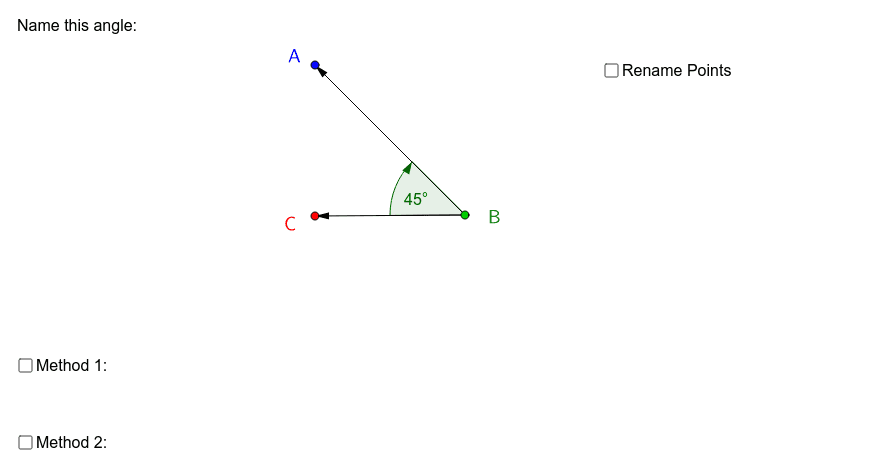
This example demonstrates how to name angles in geometric figures. The core mathematical concepts involved include angles, vectors, and conditional statements. Key points of the construction: Utilizes GeoGebra commands such as Angle, Vector, and If; objects include A, B, C, e, a, d, α, u, v, b, ta, c, tb, tc, text1, f, g, text6, text7, text8, reflex, text2, text3, text5, text4. Suitable for high school students or beginners to understand and name angles in geometric figures.
GeoGebra Commands & Parameters
Angle(A, B, C) → αVector(B, A) → uVector(B, C) → vIf(α > 3.141592653589793, "\textsf{Reflex }", "") → reflex
AI Drawing Prompt Reference
Draw a geometric figure with three points, where the middle point serves as the vertex of an angle, and the other two points lie on two rays emanating from the vertex. Create two vectors from the vertex to each of the other points to represent the sides of the angle. Measure the angle between these vectors. If the angle is greater than 180 degrees, label it as "Reflex angle" near the arc; otherwise, leave it unlabeled. Also, indicate the angle's measure with an arc and a degree value. Keep the diagram clean and suitable for educational purposes.
The prompt above was compiled from the original drawing commands and is for reference only.