
Name the Solid Figures: Cube and Prism Identification
Loading the math board and drawing, please wait…
In collections
Solid figures
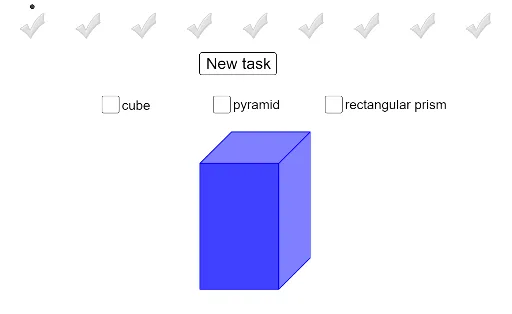
① This interactive example displays solid figures such as a cube and a prism one by one, prompting students to observe and type the correct name, serving as a naming exercise in solid geometry. ② Core mathematical concepts include recognition of basic 3D shapes (cube, prism), their faces, edges, vertices, and spatial visualization, with connections to volume and geometric properties. ③ Construction details: From the summary, GeoGebra commands include 3D objects like 'cube' and 'prism1', multiple grey checkmarks (checkmark1Grey to checkmark8Grey) as placeholder answer options, green checkmarks (checkmark1Green to checkmark4Green) for correct feedback, and points A through B_1 for positioning or interaction logic. ④ Suitable for upper elementary to middle school students learning introductory solid geometry, useful for classroom interactive drills or self-study to reinforce naming and distinguishing 3D figures.
GeoGebra Commands & Parameters
Boolean cube(false)Boolean prism1(false)Point A(-7, 5)Point B(-6, 5)Point C(-5, 5)Point D(-4, 5)Point E(-1, 5)Point F(0, 5)Point G(1, 5)Point H(2, 5)Point I(-3, 5)Point J(-2, 5)Point K(3, 5)Point L(4, 5)Point M(5, 5)Point N(6, 5)Point O(7, 5)Point P(8, 5)Point Q(-7, 5)Point R(-6, 5)Point S(-5, 5)Point T(-4, 5)Point U(-3, 5)Point V(-2, 5)Point W(-1, 5)Point Z(0, 5)Point A_1(1, 5)Point B_1(2, 5)Point C_1(3, 5)Point D_1(4, 5)Point E_1(5, 5)Point F_1(6, 5)Point G_1(7, 5)Point H_1(8, 5)Point I_1(-6, -3)Point J_1(-1, -3)Point Q_1(-1, -3)Point R_1(4, -3)Point S_1(0, -3)Point T_1(3, -3)Point M_1(0, -3)Point G_2(9, 5)Point H_2(10, 5)Point I_2(9, 5)Point J_2(10, 5)Boolean pyramid2(false)Boolean pyramid3(false)Boolean cube2(false)Boolean prism2(false)Boolean cube3(false)Boolean prism3(false)Boolean pyramid4(false)Boolean pyramid5(false)Boolean pyramid6(false)Boolean pyramid7(false)Boolean pyramid8(false)Boolean pyramid9(false)Boolean cube4(false)Boolean cube5(false)Boolean cube6(false)
AI Drawing Prompt Reference
Create an educational exercise scene on a flat plane: place two rows of small grey squares at the top as answer choices, and below center show a 3D cube on the left and a 3D prism on the right, both in wireframe or semi-transparent style with toggle switches. Scatter several marker points around for positioning. Include multiple grey and green checkmarks to indicate unselected and correct feedback. Keep the layout clear for students to observe and name the solid figures.
The prompt above was compiled from the original drawing commands and is for reference only.