
Truncated Cube Net (Archimedean Solid)
Loading the math board and drawing, please wait…
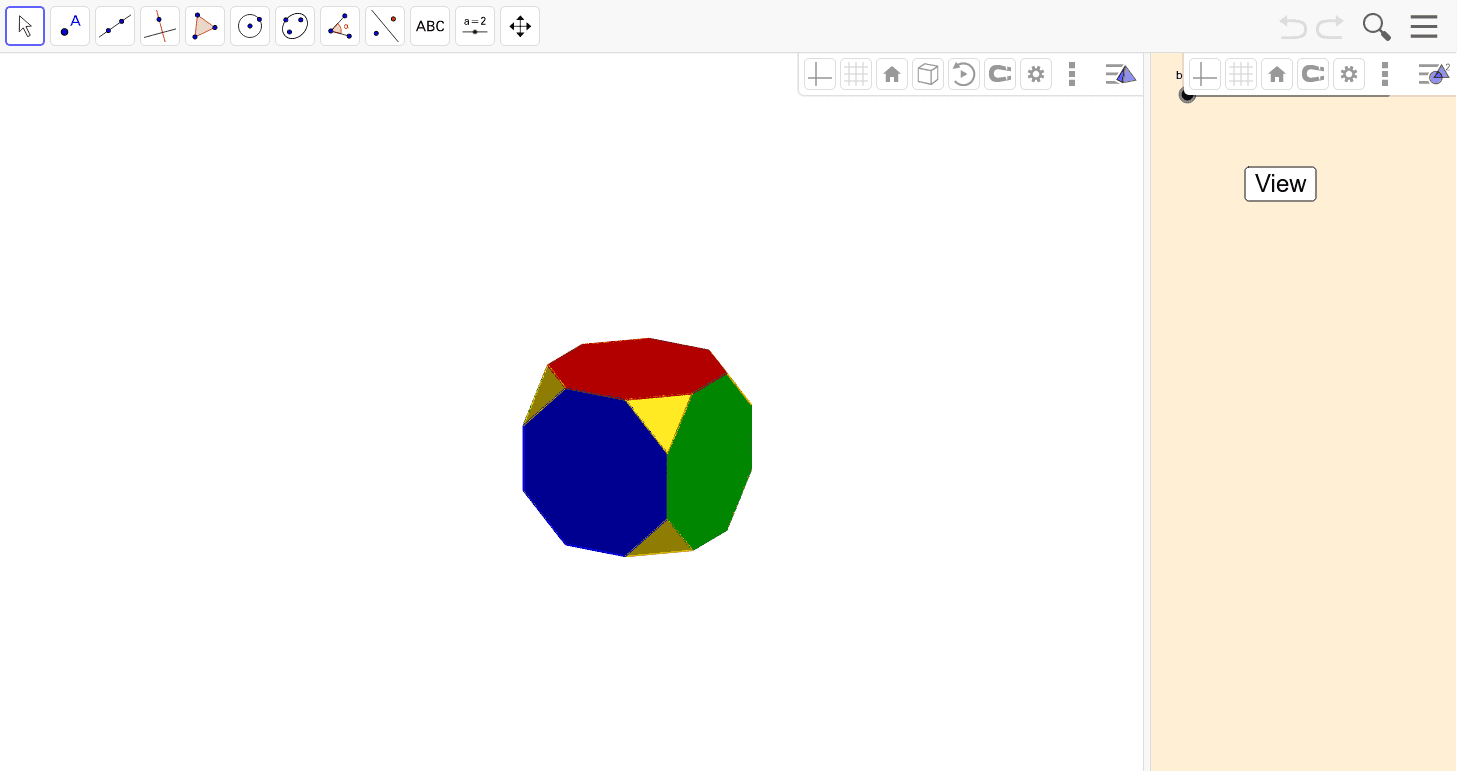
① This example demonstrates the planar net of a truncated cube, an Archimedean solid, by unfolding its faces onto a two-dimensional plane to visualize its structure and surface area. ② Core mathematical concepts include solid geometry, polyhedra, regular polygon faces, vertex truncation, and the correspondence between a 3D shape and its net. ③ Construction details: using GeoGebra commands Polygon to draw faces, Midpoint to determine truncation points, and Rotate to rotate face pieces for unfolding; objects include multiple vertices (A1-A8, B1-B16, C1-C15) and faces, arranged through rotation and positioning to form the complete net. ④ Suitable for high school or early college solid geometry lessons, as well as for 3D printing or paper model design, helping students intuitively understand properties of Archimedean solids.
GeoGebra Commands & Parameters
Polygon(D16, D12, D6, D2, D11, D15, D4, D8) → wielokąt1, d16, d12, d6, d2, d11, d15, d4, d8Midpoint(D4, D15) → AMidpoint(D12, D6) → BRotate(Polygon[D4, D22, D15], β, Line[D4, D15]) → wielokąt2Rotate(Polygon[D11, D21, D2], β, Line[D11, D2]) → wielokąt3Rotate(Polygon[D6, D23, D12], β, Line[D6, D12]) → wielokąt4Rotate(Polygon[D16, D24, D8], β, Line[D16, D8]) → wielokąt5Rotate(Polygon[D12, D23, D19, D10, D14, D20, D24, D16], α, Line[D12, D16]) → wielokąt6Rotate(Polygon[D8, D24, D20, D7, D3, D18, D22, D4], α, Line[D8, D4]) → wielokąt7Rotate(Polygon[D2, D21, D17, D1, D5, D19, D23, D6], α, Line[D2, D6]) → wielokąt8Rotate(Polygon[D15, D22, D18, D13, D9, D17, D21, D11], α, Line[D15, D11]) → wielokąt9Rotate(Rotate[Polygon[D1, D17, D9], β, Line[D17, D1]], α, Line[D2, D6]) → wielokąt10Rotate(Rotate[Polygon[D3, D13, D18], β, Line[D18, D13]], α, Line[D15, D11]) → wielokąt11Rotate(Rotate[Polygon[D20, D14, D7], β, Line[D20, D7]], α, Line[D8, D4]) → wielokąt12Rotate(Rotate[Polygon[D10, D19, D5], β, Line[D19, D10]], α, Line[D12, D16]) → wielokąt13Rotate(Rotate[Polygon[D1, D9, D13, D3, D7, D14, D10, D5], α, Line[D10, D14]], α, Line[D12, D16]) → wielokąt14
AI Drawing Prompt Reference
Draw the net of a truncated cube, which consists of 8 squares and 6 equilateral triangles. First, draw 8 squares and 6 equilateral triangles as the faces of the truncated cube. Then, rotate these faces to unfold them into a 2D plane. Finally, arrange them so that all faces are closely connected to form the complete net of the truncated cube.
The prompt above was compiled from the original drawing commands and is for reference only.