
Multivariable Calculus Surfaces and Traces Demo
Loading the math board and drawing, please wait…
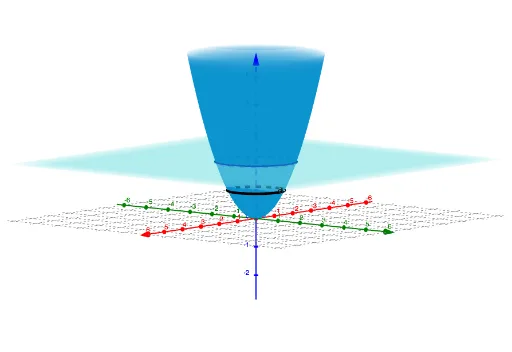
This example demonstrates the generation of 3D surfaces and the dynamic changes in their cross-sectional traces; core math concepts include surface equations, trace analysis, and parametric representation; construction highlights the use of GeoGebra's IntersectPath command to calculate intersections between surfaces and paths, combined with a slider to dynamically adjust path parameters, involving objects like surface S1, path P, and slider a; suitable for university students learning multivariable calculus and spatial geometry to visualize the relationship between surfaces and cross-sections.
GeoGebra Commands & Parameters
IntersectPath(P, S) → c
AI Drawing Prompt Reference
Visualize a 3D surface and its dynamic cross-sectional changes, showing the intersection points between the surface and a moving path, with a slider to adjust the path parameters dynamically, illustrating core math concepts like surface equations, trace analysis, and parametric representation.
The prompt above was compiled from the original drawing commands and is for reference only.