
Multipurpose Number (0-10) Generators
Loading the math board and drawing, please wait…
In collections
Elementary Math Resources
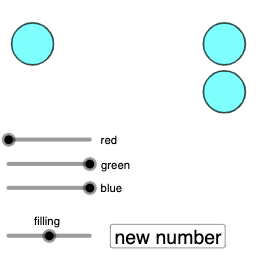
This example demonstrates how to use GeoGebra to generate random numbers between 0 and 10 and construct geometric figures such as polygons, segments, and circles based on these numbers. Core mathematical concepts include random number generation, geometric construction (polygons, segments, circles), sequence generation, and linear programming or optimization. Key GeoGebra commands/objects used are Polygon, Segment, Sequence, Circle, and Random. Suitable for high school mathematics teaching, illustrating the application of random numbers in geometric constructions and their connection to probability & statistics and optimization.
GeoGebra Commands & Parameters
Polygon((0, 0), (10, 0), (10, 4), (0, 4)) → q1, f, g_{1}, h, iSegment((0, 2), (10, 2)) → jSequence(Segment[(2 + i, 0), (2 + i, 4)], i, -2, 8, 2) → l1, {4, 4, 4, 4, 4, 4}Circle(G, 7 / 8) → rCircle(C, 7 / 8) → eCircle(B, 7 / 8) → dCircle(A, 7 / 8) → cCircle(F, 7 / 8) → qCircle(H, 7 / 8) → sCircle(I, 7 / 8) → tCircle(J, 7 / 8) → c_1Circle(D, 7 / 8) → kCircle(E, 7 / 8) → pRandom(0, 10) → a, 4Random(0, 1) → a_2, 1Random(0, 1) → b_2, 0Random(0, 1) → c_2, 0Random(0, 1) → d_2, 0Random(0, 1) → e_2, 1Random(0, 1) → f_2, 0Random(0, 1) → g_2, 0Random(0, 1) → h_2, 0Random(0, 1) → i_2, 0Random(0, 1) → j_2, 1
AI Drawing Prompt Reference
Draw a coordinate-plane rectangle with vertices (0,0), (10,0), (10,4), and (0,4). Inside it, draw a horizontal segment from (0,2) to (10,2). Then translate this segment horizontally to create several equally spaced vertical positions. At the corresponding heights on the top and bottom edges, place a row of circles whose centers lie at those boundary points; use the same fixed radius equal to a fraction such as 7/8. Generate random values between 0 and 10 to determine where the circles/positions fall within the allowed range, so the layout reflects random-number-driven geometric construction.
The prompt above was compiled from the original drawing commands and is for reference only.