
Multiplying Proper Fractions – Area Model Problems (1)
Loading the math board and drawing, please wait…
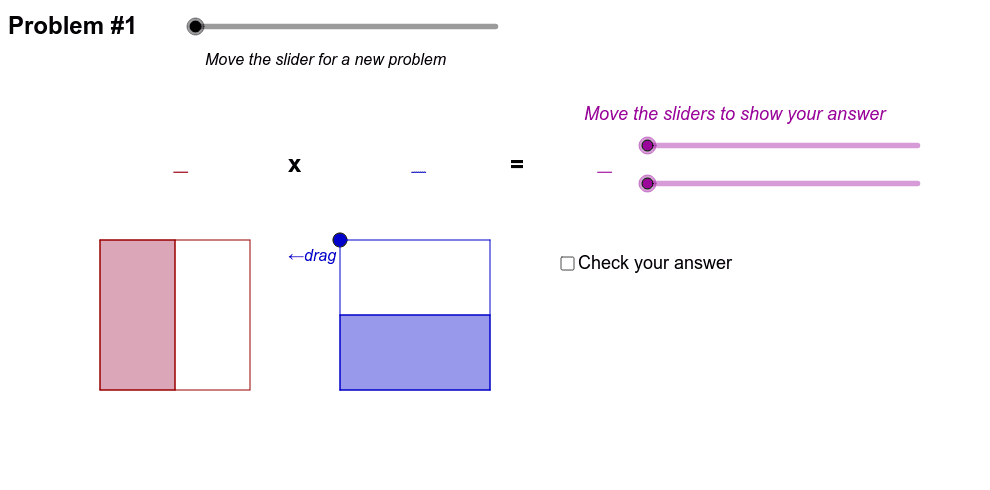
① This interactive GeoGebra example demonstrates the multiplication of proper fractions using dynamic area models, allowing users to explore 15 different fraction multiplication problems via a slider. ② The core mathematical concepts include fraction multiplication, area model representation, part-whole relationships, and the geometric interpretation of multiplying fractions. ③ Construction highlights: the applet uses commands such as Segment, Point, Sequence, Polygon, Element, Max, If, and FractionText to build adjustable rectangular grids, manage problem switching with a slider, and display fraction labels; numList and denomList store numerators and denominators, while H-series objects highlight the overlapping regions. ④ It is suitable for upper elementary to middle school students learning fraction multiplication, as well as for teachers demonstrating the concept in class, fostering a visual and intuitive understanding of why multiplying fractions yields a smaller product.
GeoGebra Commands & Parameters
Segment((0, 3), (4.8, 3)) → ePoint(e) → H15Point(e) → H14Point(e) → H13Point(e) → H12Point(e) → H11Point(e) → H10Point(e) → H9Point(e) → H8Point(e) → H7Point(e) → H6Point(e) → H5Point(e) → H4Point(e) → H3Point(e) → H2Point(e) → H1Element(f2denom, ex) → dElement(f2num, ex) → cElement(f1num, ex) → aElement(f1denom, ex) → bMax(Sequence[If[Mod[a * c, i] + Mod[b * d, i] ≟ 0, i, -1], i, 1, Min[{a * c, b * d}]]) → Simplified_{GCF}Sequence(A + t * (B - A), t, 0, 1, 1 / b) → L1Sequence(C + t * (D - C), t, 0, 1, 1 / b) → L2Segment(A, B) → c_1Segment(C, D) → d_1Sequence(Segment[Element[L1, k], Element[L2, k]], k, 2, b) → L5Element(dragPoint, ex) → HSegment(H, E) → fSegment(E, F) → gSegment(F, G) → hSegment(G, H) → iSegment(D, B) → jSegment(C, A) → kElement(L1, a + 1) → T1Element(L2, a + 1) → T2Polygon(A, T1, T2, C) → poly1, a_1, t1, t2, c_2Sequence(E + t * (H - E), t, 0, 1, 1 / d) → L3Sequence(F + t * (G - F), t, 0, 1, 1 / d) → L4Sequence(Segment[Element[L3, k], Element[L4, k]], k, 2, d) → L6Element(L3, c + 1) → T3Element(L4, c + 1) → T4Polygon(E, F, T4, T3) → poly2, e_1, f_1, t4, t3FractionText(Element[f1num, ex] * Element[f2num, ex] / (Element[f1denom, ex] * Element[f2denom, ex])) → simplTextElement(numList, ex) → numElement(denomList, ex) → denomPolygon((0, 0), (3 * Element[f1num, ex] / Element[f1denom, ex], 0), (3 * Element[f1num, ex] / Element[f1denom, ex], 3 * Element[f2num, ex] / Element[f2denom, ex]), (0, 3 * Element[f2num, ex] / Element[f2denom, ex])) → overlap, m, n, p, qIf(bl, 0, 1) → black