
Multiplying Complex Numbers: Geometric Rotation and Scaling
Loading the math board and drawing, please wait…
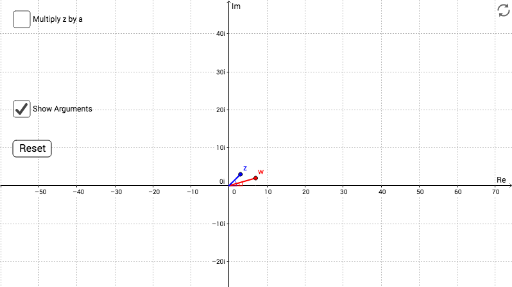
① This interactive GeoGebra example visually demonstrates the geometric effect of multiplying two complex numbers: their moduli multiply and their arguments add, shown dynamically on the complex plane. ② Core mathematical concepts include complex number multiplication, modulus, argument, rotation, and scaling, along with vector and angle representations. ③ Construction highlights: using GeoGebra commands such as Angle, Segment, and Polygon to build vectors and polygons, sliders and a button (button1) to adjust complex parameters, and text objects (text1) to display numerical values, providing real-time visual feedback. ④ Suitable for high school and undergraduate students learning complex numbers, serving as an intuitive tool for understanding the geometric interpretation of multiplication and as a foundation for complex analysis.
GeoGebra Commands & Parameters
Angle(z_3, z_2, O) → βSegment(O, w) → jSegment(O, z_1) → lSegment(z_1, z_2) → nSegment(O + (d * z_2), z_3) → mSegment(z_3, z_4) → pAngle(abs(z_1) + (0 * ί), O, z_1) → γAngle(abs(w) + (0 * ί), O, w) → δSegment(z_4, O) → qAngle(z_2, O, z_4) → εPolygon(z_4, z_2, O) → poly1, o, z_5, z_6Polygon(w, (x(w), 0), O) → poly2, o_1, w_1, rAngle(w, (x(w), 0), O) → ζ
AI Drawing Prompt Reference
Draw the geometric effect of multiplying two complex numbers on the complex plane, showing how their moduli multiply and arguments add. Use vectors to represent the complex numbers, construct polygons and angles, and dynamically adjust parameters with sliders and a button to see real-time changes in the numerical values and graphical representation, intuitively demonstrating rotation and scaling.
The prompt above was compiled from the original drawing commands and is for reference only.