
Multiplication Visualization
Loading the math board and drawing, please wait…
In collections
学习 GeoGebra 经典应用
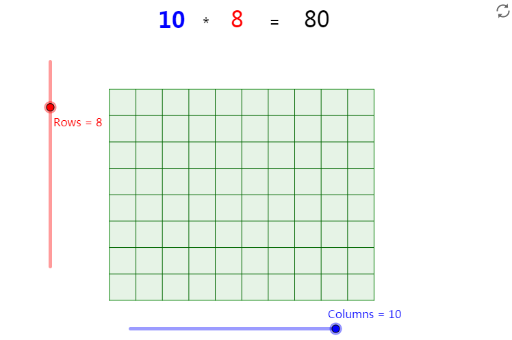
This example visually demonstrates the concept of multiplication through geometric shapes. It involves the symmetry and dilation of quadratic functions. Using GeoGebra commands such as Point, Segment, Circle, Intersect, etc., it dynamically illustrates the geometric meaning of multiplication. Suitable for middle school and above students to learn about quadratic functions and transformations.
GeoGebra Commands & Parameters
Point(Circle[A, Columns]) → BSegment(A, B) → aOrthogonalLine(A, a) → bOrthogonalLine(B, a) → cCircle(A, Rows) → dIntersect(d, b, 2) → CLine(C, a) → eIntersect(c, e) → DPolygon(A, B, D, C) → Vieleck1, a_1, b_1, d_1, c_1Sequence(Segment[A + (i * (1, 0)), C + (i * (1, 0))], i, 1, Columns) → Liste1Sequence(Segment[A + (i * (0, 1)), B + (i * (0, 1))], i, 1, Rows) → Liste2
AI Drawing Prompt Reference
Draw a multiplication visualization graph that demonstrates the symmetry and dilation of quadratic functions. The graph should include a central point, two vertical lines, two horizontal lines, a circle, two intersection points, a polygon, and two sequences of line segments. The graph should also include a symmetry axis, two dilation centers, two dilation directions, and two sequences of line segments.
The prompt above was compiled from the original drawing commands and is for reference only.