
Multiplication Inventory
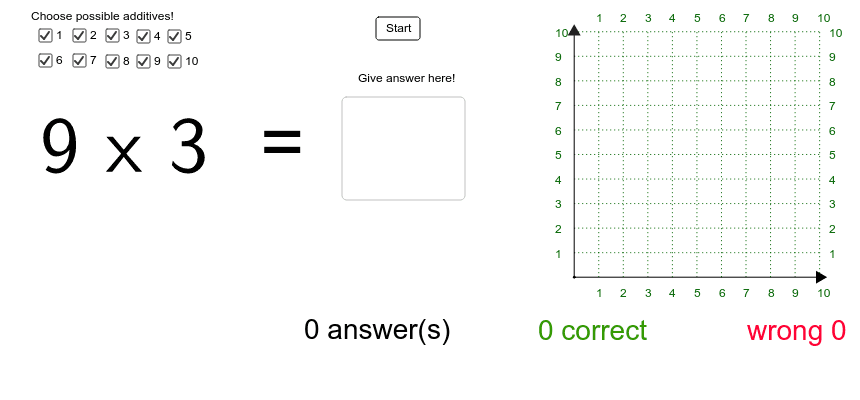
Loading the math board and drawing, please wait…
In collections
Arithmetic: Skills & Concepts
Arithmetic: Skills & Concepts
Arithmetic: Skills & Concepts
This example demonstrates the recording and management of multiplication facts. It involves core math concepts like multiplication, numbers, mode, logarithmic functions, natural numbers, Pythagorean theorem, and triangles. It is constructed using commands and objects such as Textfield, Length, Point, Segment, Rotate, Angle, Sequence in GeoGebra, making it suitable for middle school mathematics teaching to help students master multiplication tables and geometric constructions.
GeoGebra Commands & Parameters
Textfield(c_{rtext}) → rLength(success_{list}) → successLength(failed_{list}) → failedPoint(Circle[A, 5]) → BSegment(A, B) → dRotate(B, 90*°, A) → B'Angle(B, A, B') → αSegment(A, B') → eSequence(Text[i, (x(A) + i / 2 - 0.06, y(A) - 0.4)], i, 1, 10) → x_{textlist}Sequence(Segment[(x(A) + i / 2, y(A)), (x(A) + i / 2, y(A) + 5)], i, 1, 10) → x_{list}Sequence(Segment[(x(A), y(A) + i / 2), (x(A) + 5, y(A) + i / 2)], i, 1, 10) → y_{list}Sequence(Text[i, (x(A) + i / 2 - 0.06, y(A) + 5.2)], i, 1, 10) → x_{textlist2}Sequence(Text[i, (x(A) + 5.2, y(A) + i / 2 - 0.1)], i, 1, 10) → y_{textlist2}Sequence(Text[i, (x(A) - 0.4, y(A) + i / 2 - 0.1)], i, 1, 10) → y_{textlist}
AI Drawing Prompt Reference
Draw a multiplication table with a central circle, extending lines to the right and upward labeled with numbers 1 to 10 to form a 10x10 grid. Include auxiliary line segments and angles around the grid to demonstrate the geometric construction of the multiplication table.
The prompt above was compiled from the original drawing commands and is for reference only.