
Module 8: Day 4: Squares
Loading the math board and drawing, please wait…
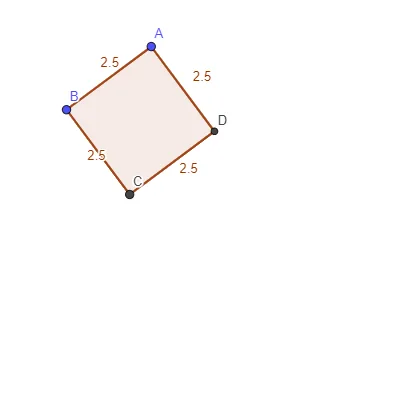
This example demonstrates the geometric properties of squares, dynamically showcasing features like side lengths, angles, and diagonals. Core math concepts include parallelograms, special quadrilateral properties, and analytical geometry calculations of distance and slope. GeoGebra commands and objects used in construction are Polygon, Distance, Slope, and Intersect. Suitable for high school students to understand the relationships between squares and other quadrilaterals, as well as analytical geometry drawing techniques.
GeoGebra Commands & Parameters
Polygon(A, B, 4) → poly1, f, g, h, i, C, D_1Distance(A, D_1) → distanceADDistance(D_1, C) → distanceDCDistance(C, B) → distanceCBDistance(B, A) → distanceBADistance(A, B) → ABDistance(B, C) → BCDistance(C, D_1) → CDDistance(A, D_1) → ADSlope(f) → B2Slope(i) → B3Slope(h) → B4Slope(g) → B5Intersect(i, h) → D
AI Drawing Prompt Reference
Draw a square and dynamically display its side lengths, angles, and diagonals. Calculate and label the lengths of all sides and diagonals, as well as their slopes. Find the intersection point of the diagonals.
The prompt above was compiled from the original drawing commands and is for reference only.