
Modifiable Histogram
Loading the math board and drawing, please wait…
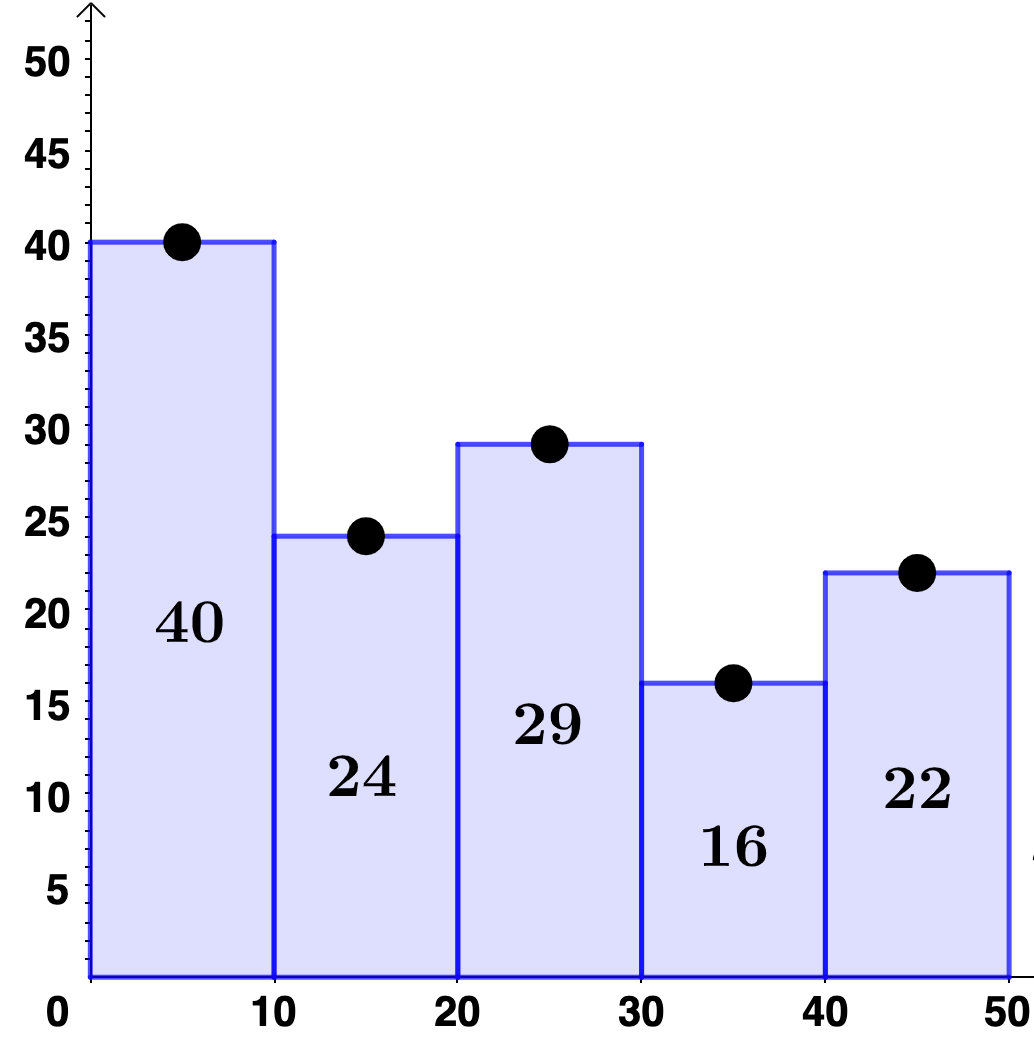
This example demonstrates a modifiable histogram, illustrating the distribution of data in statistics. Key mathematical concepts include histogram construction, data grouping, and the calculation of statistical measures. Using GeoGebra commands such as Polygon and objects a, b, c, d, f, g, h, l1, users can dynamically adjust the histogram's shape and data. Suitable for high school and above students learning statistics and data visualization.
GeoGebra Commands & Parameters
Polygon((0, 0), (10, 0), (10, y(A)), (0, y(A))) → q1, i, m, n, pPolygon((10, 0), (20, 0), (20, y(B)), (10, y(B))) → q2, q, r, s, tPolygon((20, 0), (30, 0), (30, y(C)), (20, y(C))) → q3, f_1, g_1, h_1, i_1Polygon((30, 0), (40, 0), (40, y(D)), (30, y(D))) → q4, j_1, k_1, l_1, m_1Polygon((40, 0), (50, 0), (50, y(E)), (40, y(E))) → q5, n_1, p_1, q_1, r_1
AI Drawing Prompt Reference
Draw a modifiable histogram to illustrate the distribution of data in statistics. Use five rectangles to represent data groups, each with a height indicating the frequency of its group, aligned horizontally from left to right at positions 0 to 50 with equal width. The rectangles should touch each other without gaps, forming a bar chart where adjusting the heights dynamically changes the data distribution, suitable for teaching statistics and data visualization.
The prompt above was compiled from the original drawing commands and is for reference only.