
Missing Equality Property in Solving an Equation
Loading the math board and drawing, please wait…
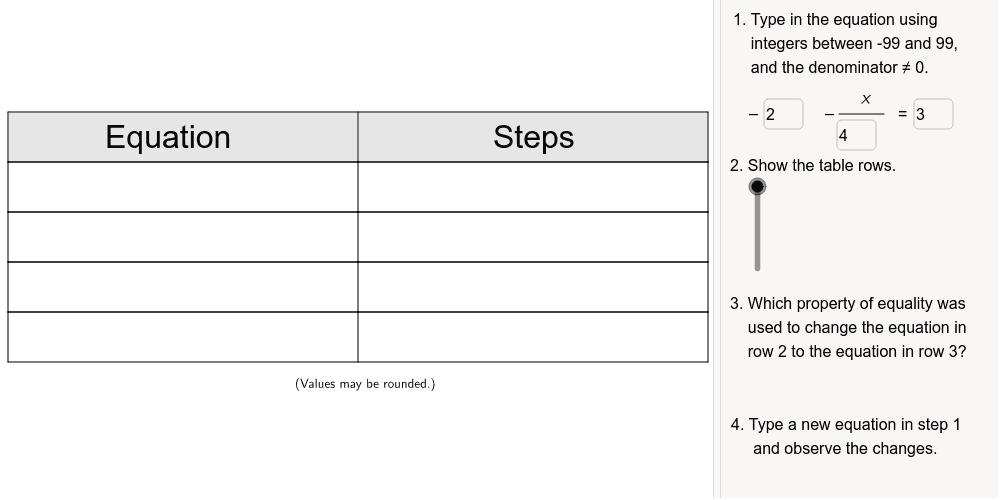
This example demonstrates how to identify the missing equality property in the process of solving an equation. The core math concepts involved include equality properties, equation solving, and algebraic operations. It is constructed using GeoGebra commands like Polygon, Textfield, and Segment, along with objects such as row1Shaded, a, b, c, d, etc., to represent the steps of the equation. Suitable for middle school and above students to understand and master the basic properties and steps of equation solving.
GeoGebra Commands & Parameters
Polygon((0, 6), (14, 6), (14, 7), (0, 7)) → row1Shaded, a, b, c, dPolygon((0, 4), (14, 4), (14, 5), (0, 5)) → row3Step2, i, j, k, lPolygon((0, 3), (14, 3), (14, 4), (0, 4)) → row4Step3, m, n, p, qPolygon((0, 5), (14, 5), (14, 6), (0, 6)) → row2Step1, e, f, g, hTextfield(denomL) → inputDenomLTextfield(constL) → inputConstLTextfield(constR) → inputConstRPolygon((0, 2), (14, 2), (14, 3), (0, 3)) → row5Step4, r, s, t, a_1Segment((7, 2), (7, 7)) → rowDividerSegment((2, 7.28), (2.9, 7.28)) → directions1Vinculum
AI Drawing Prompt Reference
Draw a step-like shape composed of several rectangles decreasing in size from top to bottom, with letters labeled inside each rectangle. Include a vertical dividing line, horizontal lines at the top and bottom, and two horizontal lines with an upward dashed line on the left to represent the steps and properties of equality in equation solving, showcasing the key steps and application of equality properties in the process of solving equations.
The prompt above was compiled from the original drawing commands and is for reference only.