
Mirror Symmetry Maze
Loading the math board and drawing, please wait…
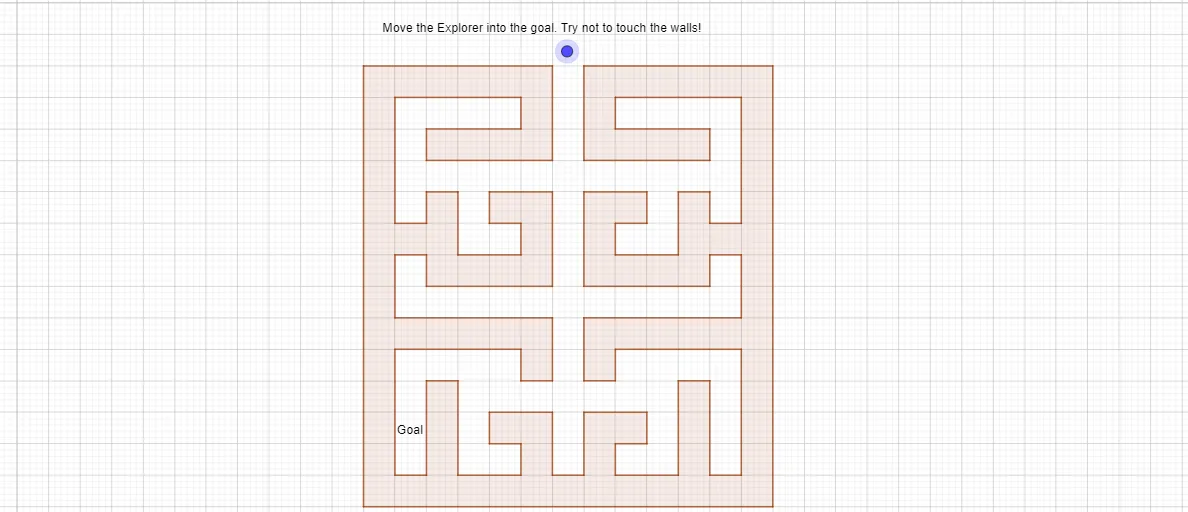
This example demonstrates the concept of mirror symmetry through an interactive maze, involving transformations of geometric shapes. Key math concepts include symmetry, isosceles triangles, fractions, cones, quadratic functions, and step functions. The construction utilizes GeoGebra commands like Polygon and objects such as M_3, L_3, K_3, J_3, S_1, R_1, Q_1, P_1, M_1, L_1, K_1, J_1, W, V, U, T, S, R, K_2, G_3, F_3, E_3, D_3, C_3, B_3, A_3, F_2, E_2, D_2, C_2, B_2, A_2, Z_1, W_1, V_1, O_1, N_1, I_1, H_1, G_1. Suitable for middle school and above, this tool aids in visualizing geometric transformations and function graphs.
GeoGebra Commands & Parameters
Polygon(A, B, C, D) → poly1, f, g, h, iPolygon(E_2, F_2, O_1, I_1, H_1, G_1, F_1, E_1, D_1, I_3, K, J, O_2, H, G, F, E, C_1, B_1, A_1, Z, Q, P, P_2, O, N, M, Z_2, W_2, V_2, H_3, A_3, K_3, J_3, W_1, B_3, C_3, D_3, R, T_1, U_1, S, T, L_3, M_3, V_1, U, V, W, Q_1, P_1, M_1, L_1, K_1, J_1, R_1, Z_1, S_1, E_3, F_3, G_3, N_1, L, G_2, Q_2, R_2, S_2, B_2, T_2, U_2, H_2, I_2, J_2, K_2, L_2, M_2, N_2, D_2, A_2, C_2) → poly3, j, t, a, b, c, d, e, f_1, g_1, h_1, i_1, k, j_1, k_1, l_1, m_1, n_1, p_1, q_1, r_1, s_1, t_1, l, a_1, b_1, c_1, d_1, e_1, f_2, g_2, h_2, i_2, j_2, m, k_2, l_2, m_2, n_2, p_2, q_2, r_2, s_2, t_2, a_2, n, b_2, c_2, d_2, e_2, f_3, g_3, h_3, i_3, j_3, k_3, p, l_3, m_3, n_3, p_3, q_3, r_3, s_3, t_3, a_3, b_3, q, c_3, d_3, e_3, f_4, g_4, h_4, i_4, j_4, k_4, l_4, r, m_4, s
AI Drawing Prompt Reference
Create a geometric maze to illustrate mirror symmetry. First, draw a closed polygonal outline made from many labeled points, forming interior walls and passage regions. Then apply mirror transformations to key points so corresponding features on opposite sides of a central symmetry axis match as reflections. Build the maze’s structure using repeated symmetric pieces, including isosceles-triangle components and fraction-related subdivision shapes. Finish by assembling the reflected sections into one continuous maze layout and include auxiliary function graphs (such as quadratic and step-function curves) to visually connect the symmetry transformation with the associated behavior.
The prompt above was compiled from the original drawing commands and is for reference only.