
Midpoint of Line Segment Demo
Loading the math board and drawing, please wait…
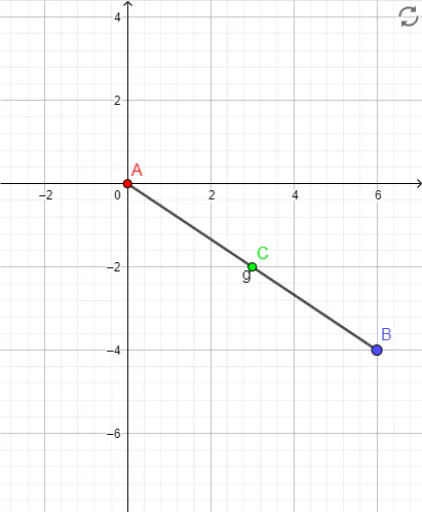
This example demonstrates how to draw a line segment and calculate its midpoint using GeoGebra. Core math concepts include line segment, midpoint, distance, and coordinate geometry. Construction highlights involve commands like Intersect, Midpoint, Segment, and Distance, along with objects A, B, C, g, a, b. Suitable for high school mathematics teaching to understand midpoint properties and applications of coordinate geometry.
GeoGebra Commands & Parameters
Intersect(xAxis, yAxis) → AMidpoint(A, B) → CSegment(A, B) → gDistance(A, C) → aDistance(C, B) → b
AI Drawing Prompt Reference
Draw a line segment and its midpoint. First, mark two points A and B on the coordinate plane. Then, connect them to form the line segment. Next, find the midpoint C and measure the distances from A to C and from C to B. Ensure the drawing is clear and shows the relationship between the line segment, points, and midpoint, suitable for math teaching.
The prompt above was compiled from the original drawing commands and is for reference only.