
Midpoint of a Line Segment – GeoGebra Interactive Example
Loading the math board and drawing, please wait…
In collections
PARCC Math III Unit 5 Lesson 8
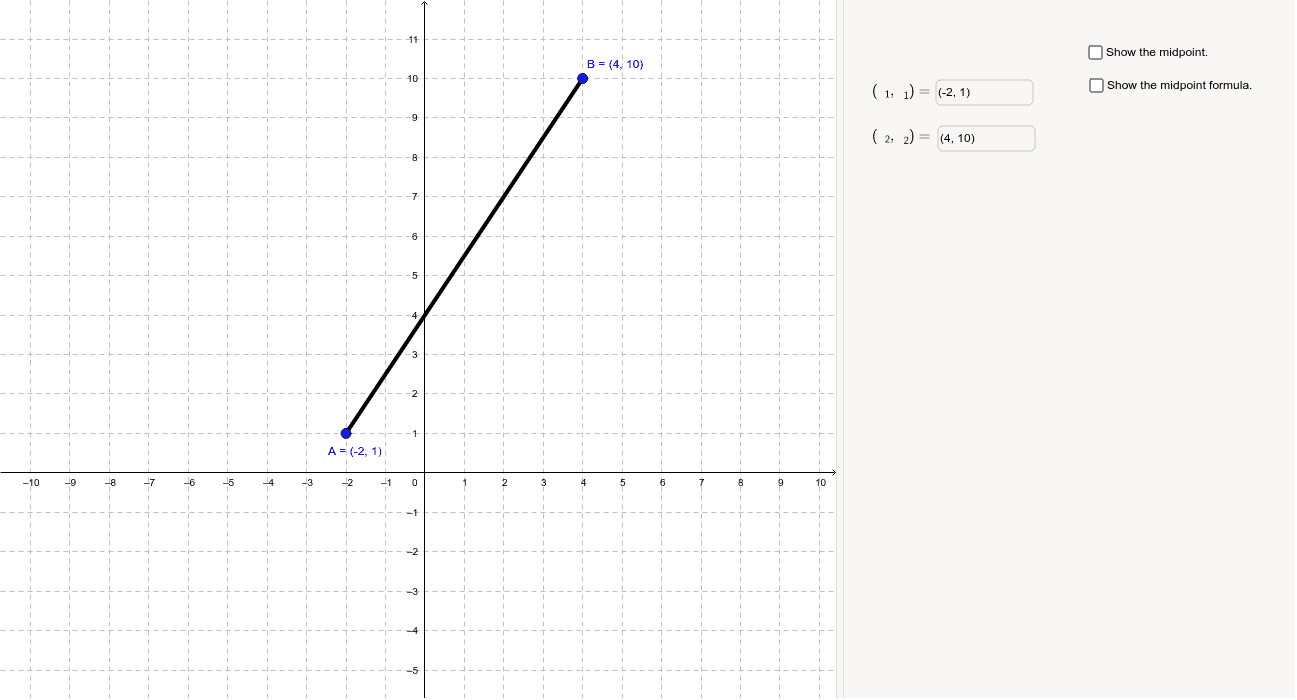
This example shows how to calculate the midpoint of a line segment using GeoGebra. Two points A and B can be placed interactively via input boxes, a segment is drawn, and its midpoint M is displayed. The underlying math involves the midpoint formula and coordinate geometry. The construction uses GeoGebra commands Textfield (for coordinate input), Segment (to draw the segment), and Midpoint (to locate the midpoint). It is suitable for middle and high school geometry lessons, aligning with CCSS Math III.
GeoGebra Commands & Parameters
Textfield(A) → inputBox1Textfield(B) → inputBox2Segment(A, B) → aMidpoint(a) → MSegment(A, M) → eSegment(M, B) → fTextfield(A_1) → inputBox1_1Textfield(B_1) → inputBox2_1Segment(A_1, B_1) → a_1Midpoint(a_1) → M_1Segment(A_1, M_1) → e_1Segment(M_1, B_1) → f_1
AI Drawing Prompt Reference
Place two points on the canvas and draw a line segment connecting them. Locate the midpoint of this segment and draw the two subsegments from each endpoint to the midpoint. Then place another pair of points, draw a line segment between them, find its midpoint, and draw the two subsegments from the endpoints to this new midpoint. The result shows two line segments each divided into two equal parts by their respective midpoints, illustrating the midpoint construction for coordinate geometry.
The prompt above was compiled from the original drawing commands and is for reference only.