
Midpoint Coordinate Model
Loading the math board and drawing, please wait…
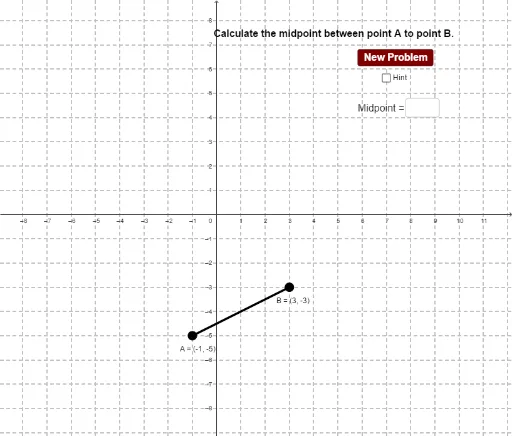
This example demonstrates how to construct the centroid of a triangle using GeoGebra and shows its coordinate properties. Core math concepts include coordinate geometry, midpoint formula, and centroid properties of triangles. Construction highlights involve Random commands for generating random points, Segment for drawing segments, Midpoint for calculating midpoints, and Textfield for displaying text information. Suitable for middle school and above students learning coordinate geometry, triangle properties, and random experiments in probability statistics.
GeoGebra Commands & Parameters
Random(-5, 5) → y_1Random(-5, 5) → y_2Random(-5, 5) → x_1Random(-5, 5) → x_2Segment(B, A) → aSegment(A, C) → bSegment(B, C) → cMidpoint(c) → DMidpoint(b) → EMidpoint(a) → FSegment(E, F) → dSegment(D, F) → eTextfield(f_1) → inputBox1
AI Drawing Prompt Reference
Draw a triangle with randomly generated vertices and connect them to form three sides. Calculate the midpoint of each side and connect the midpoints to form a smaller triangle. Display the coordinates of the vertices and midpoints, as well as the lengths of the sides of the smaller triangle, to demonstrate the centroid and midpoint formula in coordinate geometry.
The prompt above was compiled from the original drawing commands and is for reference only.