
Geometric Construction: Scalene Triangle & Rectangle with Area, Intersection & C
Loading the math board and drawing, please wait…
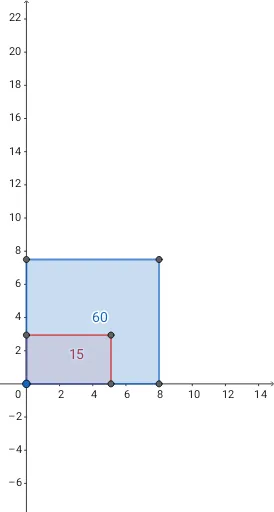
① This example demonstrates how to construct a scalene triangle and a rectangle in GeoGebra, then compute their areas, intersection points, and confidence‑interval statistics. ② Core mathematical concepts include triangles, rectangles, area, intersection, statistical characteristics, and confidence intervals. ③ Construction highlights: the Polygon command creates the polygons (triangle, rectangle); the PointIn command tests whether a point lies inside a polygon; key objects are vertices A, B, C, D, edges a, b, c, d, circles c1, c2, point Puntoc1, segments h, g, functions f, f_1, g_1, etc. ④ Suitable for high‑school geometry and statistics lessons, as well as introductory college courses in geometry and probability for visual illustration.
GeoGebra Commands & Parameters
Polygon(A, C, B, D) → c1, a_1, c, b, dPointIn(c1) → Puntoc1Polygon(A, E, F, G) → c2, a_2, e, f_1, g_1
AI Drawing Prompt Reference
Draw an isosceles triangle and a rectangle, calculate their areas, and show their intersection points along with statistical characteristics. Ensure the shapes are clear and labeled with key points such as vertices A, B, C, D and edges a, b, c, d.
The prompt above was compiled from the original drawing commands and is for reference only.