
Midpoint and Length of a Line Segment by ayoob
Loading the math board and drawing, please wait…
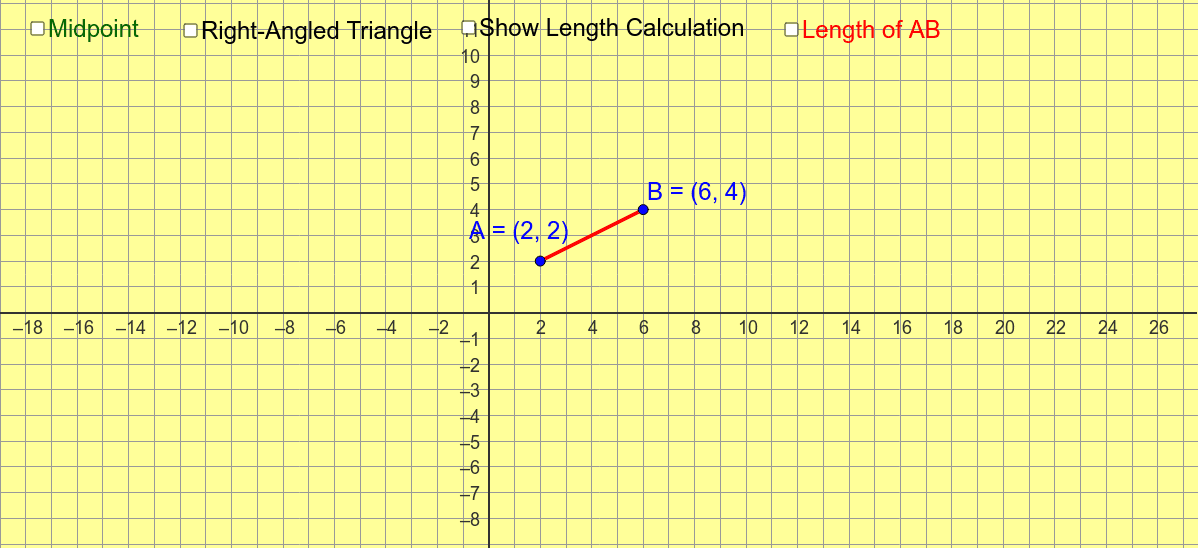
This example demonstrates how to change the length of line segment AB by dragging points A and B, and explore the midpoint and length of the line segment. Key mathematical concepts include the calculation of the midpoint and length of a line segment. GeoGebra commands used include Segment, LineBisector, Intersect, etc. Suitable for middle school and above students to learn geometric construction.
GeoGebra Commands & Parameters
Segment(A, B) → aLineBisector(a) → bIntersect(a, b) → MOrthogonalLine(B, xAxis) → dOrthogonalLine(A, d) → eIntersect(e, d) → CSegment(B, C) → fSegment(A, C) → gAngle(B, C, A) → αSegment(A, B) → iSegment(B, C) → nSegment(C, A) → p
AI Drawing Prompt Reference
Draw line segment AB and change its length by dragging points A and B. Find the midpoint M and length of AB. Draw the perpendicular bisector of AB and intersect it with a vertical line from point B and another vertical line from point A to find point C. Connect points B and C, and A and C. Measure the angle BCA and the lengths of segments AB, BC, and CA.
The prompt above was compiled from the original drawing commands and is for reference only.