
Measuring Dilations with Geogebra: Corresponding Points and Scale
Loading the math board and drawing, please wait…
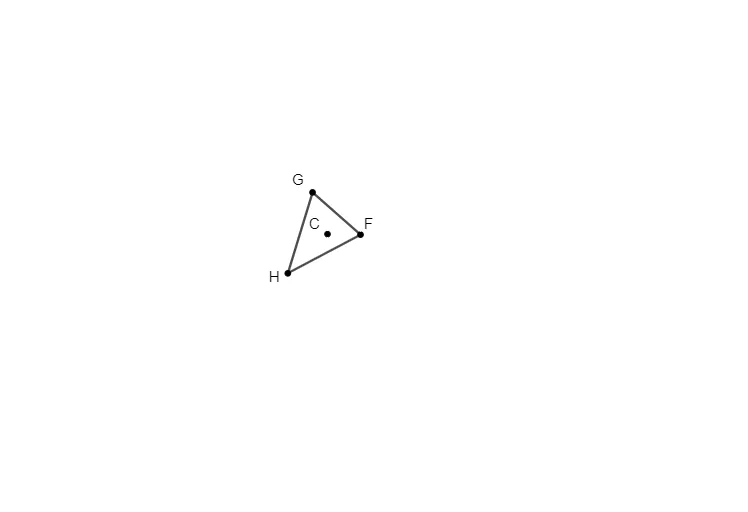
This example demonstrates how a dilation (scaling transformation) moves and rescales points and the resulting polygonal configuration in the plane. It helps learners observe the idea of corresponding points under a scaling factor and how relative positions and measured relations change from the pre-image to the image. Key concepts include dilation/scale factor, geometric transformation, and the structure of polygonal diagrams that support reasoning about similarity and proportional change. Construction is driven by GeoGebra commands and objects from the provided construction summary: Polygon is used to build the main polygonal figures, while PointIn is used to determine point membership relative to a polygon. Named objects such as G, H, F serve as key points, and parameters/intermediate constructs like t1, e, c, d, and C control or represent the dilation setup and measurements. Suitable for middle school to early high school geometry lessons and for interactive practice on transformation-based geometry.
GeoGebra Commands & Parameters
Polygon(G, H, F) → t1, e, c, dPointIn(t1) → C
AI Drawing Prompt Reference
Draw a polygon and mark its three key vertices. Center a circle at one vertex and find the position of another vertex on the circle. Display the proportional relationship between these two vertices and their corresponding points to illustrate the effect of a dilation transformation on the polygon's shape.
The prompt above was compiled from the original drawing commands and is for reference only.