
Measuring Congruence
Loading the math board and drawing, please wait…
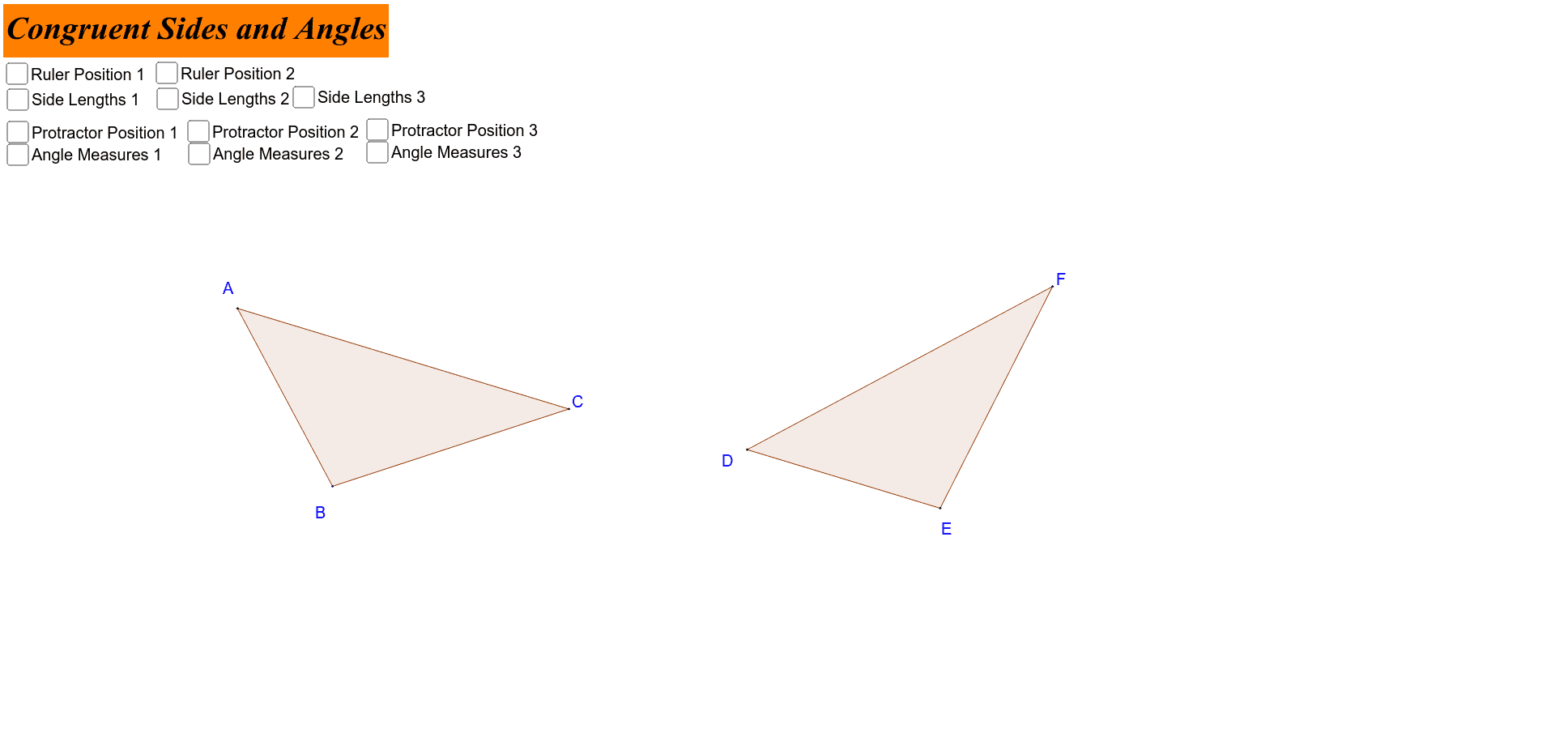
This example demonstrates how to verify congruence through measurement and transformation. It involves core concepts like congruence, 3D vectors, trapezoids, vectors, and integer arithmetic. Construction uses commands such as Segment, Rotate, Angle, Ray, Intersect, Polygon, Distance, Circle, Point, Line. Suitable for high school students or learners needing geometric construction practice.
GeoGebra Commands & Parameters
Segment(A, B) → aRotate(B, 45*°, A) → B'Angle(B, A, B') → αRay(A, B') → bRotate(A, -100*°, B) → A'Angle(A', B, A) → βRay(B, A') → cIntersect(b, c) → CPolygon(A, B, C) → poly1, c_1, a_1, b_1Segment(D_1, E_1) → a_3Rotate(E_1, 45*°, D_1) → B'_1Angle(E_1, D_1, B'_1) → α_1Ray(D_1, B'_1) → b_3Rotate(D_1, -100*°, E_1) → A'_1Angle(A'_1, E_1, D_1) → β_1Ray(E_1, A'_1) → c_3Intersect(b_3, c_3) → F_1Polygon(D_1, E_1, F_1) → poly1_1, c_2, a_2, b_2Distance(A, C) → distanceACDistance(B, C) → distanceBCDistance(A, B) → distanceABRotate(D_1, 45*°, E_1) → DRotate(E_1, 45*°, E_1) → ERotate(F_1, 45*°, E_1) → FPolygon(D, E, F) → poly2, f', d', e'Circle(A, 10) → dPoint(d) → GCircle(D, 10) → ePoint(e) → HCircle(B, 10) → gPoint(g) → ICircle(E, 10) → hPoint(h) → JCircle(A, 5) → pPoint(p) → KLine(K, A) → mIntersect(p, m, 2) → LCircle(D, 5) → qPoint(q) → MLine(M, D) → nIntersect(q, n, 2) → NCircle(C, 5) → rCircle(F, 5) → sCircle(E, 5) → tCircle(B, 5) → d_1Point(d_1) → OPoint(r) → PPoint(t) → QPoint(s) → RLine(O, B) → e_1Line(P, C) → f_1Line(Q, E) → g_1Line(R, F) → h_1Intersect(d_1, e_1, 2) → SIntersect(r, f_1, 2) → TIntersect(t, g_1, 2) → UIntersect(s, h_1, 2) → VAngle(C, A, B) → γAngle(A, B, C) → δAngle(A, C, B) → εAngle(E, D, F) → ζAngle(F, E, D) → ηAngle(D, F, E) → θ
AI Drawing Prompt Reference
Draw two similar trapezoids to demonstrate congruence through rotation and measurement. Start by constructing a trapezoid, then rotate one vertex by 45 degrees and translate it to form another trapezoid. Measure corresponding sides and angles of both trapezoids, labeling key points and segments. Finally, add small circles at the vertices, along with auxiliary lines and intersection points to illustrate the verification of congruence.
The prompt above was compiled from the original drawing commands and is for reference only.