
Measuring Angles with a Protractor by GreenMaths
Loading the math board and drawing, please wait…
In collections
Introduction to Geometry
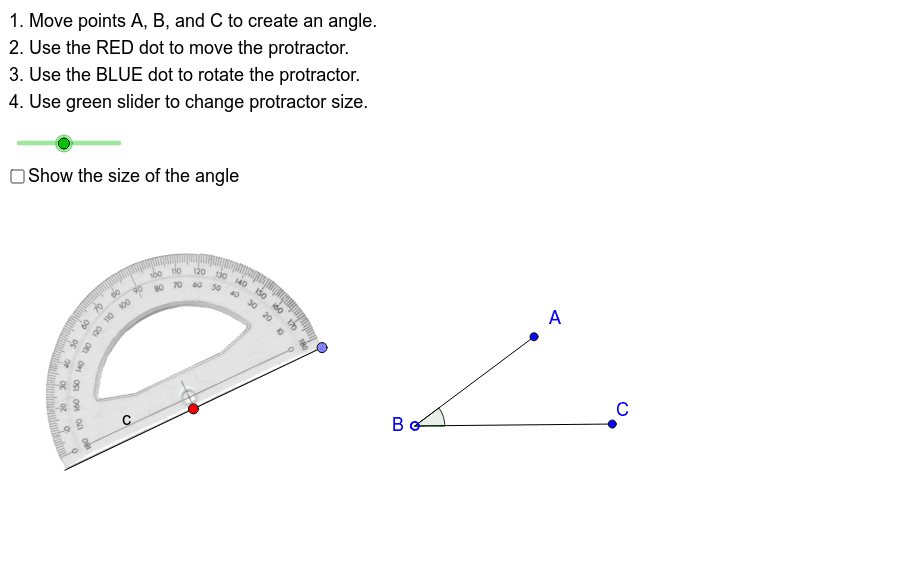
This example demonstrates how to use a protractor to measure angles. Students can practice in pairs, one person changing the angle while the other measures it. The core math concepts involved are angle measurement and geometric construction. GeoGebra commands and objects such as Point, Segment, Mirror, Angle, and Polygon are used in the construction. It is suitable for middle school mathematics instruction, helping students master angle measurement skills and geometric construction techniques.
GeoGebra Commands & Parameters
Point(Circle[F, ProtractorSize]) → GSegment(F, G) → fMirror(G, F) → G'Mirror(F, F) → F'Mirror(F, F) → F'_1Mirror(G, F) → G'_1Segment(F'_1, G'_1) → cSegment(A, B) → aSegment(B, C) → bAngle(C, B, A) → αPolygon(D, E, H, I) → P, d, e, h, i
AI Drawing Prompt Reference
Draw a protractor with a semicircular arc, a center point, and a radius line extending from the center to the arc. Mirror that radius point across the center to create a full diameter line. Surround the protractor with a rectangular frame formed by four corner points. Above the protractor, draw two line segments meeting at a vertex to form an angle, and indicate the angle with a small arc near the vertex. The scene illustrates angle measurement using a protractor.
The prompt above was compiled from the original drawing commands and is for reference only.