
Maximum Volume of a Box
Loading the math board and drawing, please wait…
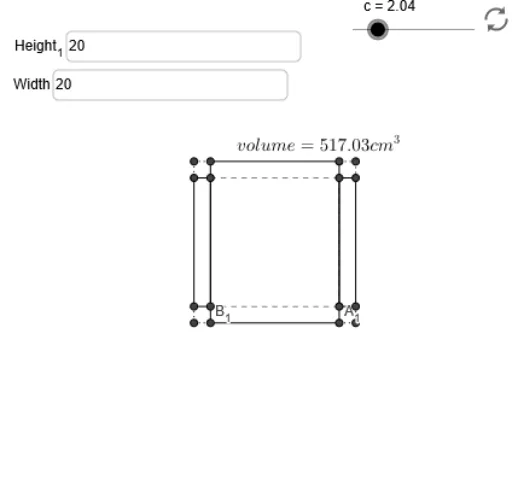
This example demonstrates how to construct a box with maximum volume from a given rectangular sheet of paper by cutting out equal squares from each corner. It involves core math concepts like functions, calculus optimization, and coordinate geometry. Key GeoGebra commands used include Intersect, Textfield, Segment, and Max. Suitable for high school mathematics education, particularly for teaching applications of calculus and optimization problem-solving.
GeoGebra Commands & Parameters
Intersect(xAxis, yAxis) → ATextfield(w) → inputBox1Textfield(h) → Height_1Intersect(y = y(C_2), x = x(C_1)) → C_3Intersect(y = y(D_2), x = x(D_1)) → D_3Intersect(y = y(B_2), x = x(B_1)) → B_3Intersect(y = y(A_2), x = x(A_1)) → A_3Segment(D_1, C_1) → aSegment(C_3, C_2) → dSegment(C_2, A_2) → eSegment(A_3, A_2) → fSegment(A_1, B_1) → iSegment(B_2, B_3) → kSegment(D_2, B_2) → lSegment(D_2, D_3) → mSegment(D, D_1) → pSegment(D, D_2) → qSegment(B_2, B) → rSegment(B, B_1) → sSegment(A_1, A) → tSegment(A_2, A) → a_1Segment(C_2, C) → b_1Segment(C, C_1) → c_1Segment(B_3, D_1) → jSegment(D_3, B_1) → nSegment(C_3, A_1) → bSegment(A_3, C_1) → gSegment(B_3, D_3) → d_1Segment(D_3, C_3) → e_1Segment(B_3, A_3) → f_1Segment(A_3, C_3) → g_1Max(h_1, 0, (0.5 * Max[h, w])) → y_m