
Max Area Three Sides Rectangle
Loading the math board and drawing, please wait…
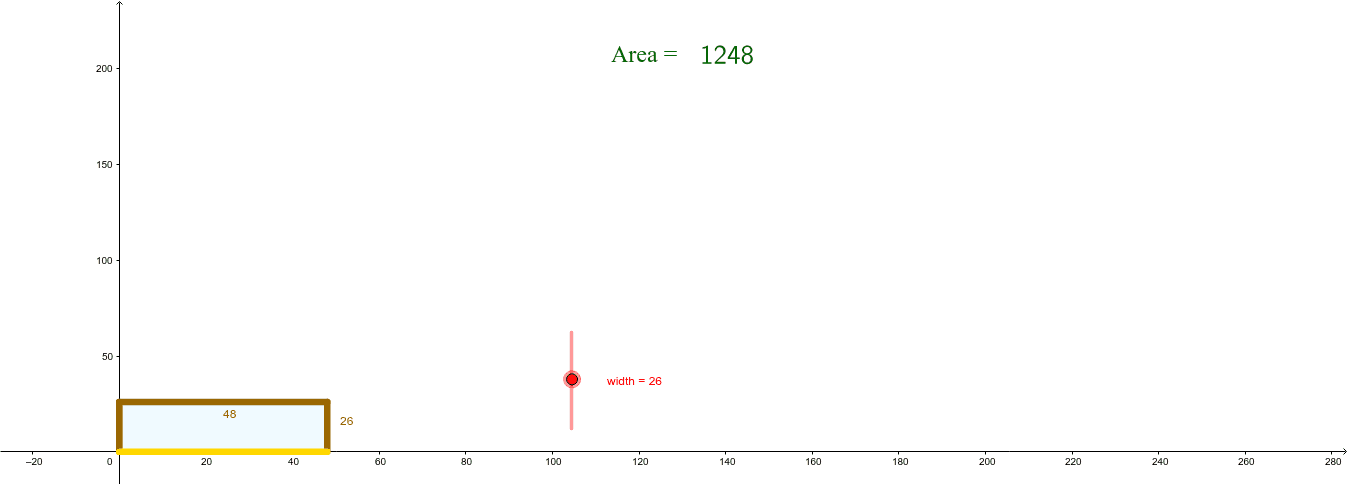
This example demonstrates how to construct a rectangle with maximum area given three sides. It involves core mathematical concepts such as area calculation, rectangle construction, similarity transformation, and optimization. The construction uses commands like Polygon and LaTeX, along with objects like width, lower left, upper left, upper right, lower right, polygon1, lower left point, upper left point, upper right point, lower right point, text1, Area, text2, text3, variable A, variable B, picture1, and text4. It is suitable for high school mathematics, particularly for teaching and exploring geometric optimization problems.
GeoGebra Commands & Parameters
Polygon(LL, UL, UR, LR) → poly1, ll, ul, ur, lrLaTeX(Area) → text2
AI Drawing Prompt Reference
Draw a rectangle with three fixed sides to maximize its area. Show the four vertices of the rectangle and the polygon formed. Label the area value and use a formula to represent the area calculation. Suitable for high school mathematics, exploring geometric optimization problems.
The prompt above was compiled from the original drawing commands and is for reference only.