
Matrix Intersection: Planes and Incircle in a Polyhedral Intersection
Loading the math board and drawing, please wait…
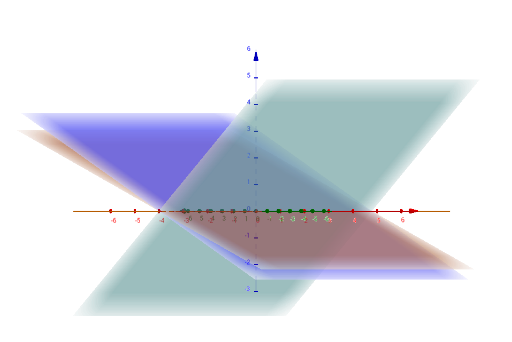
① This GeoGebra example demonstrates the intersection of multiple planes with an incircle (or inscribed circle) in 3D space, using matrix operations to visualize the resulting curves or surfaces. ② Core mathematical concepts include matrix transformations, plane equations, incircle/inscribed circle relations with polyhedra, and the geometric meaning of intersection paths (IntersectPath) and intersection points (Intersect). ③ Construction highlights: The commands IntersectPath and Intersect are used, involving objects such as planes j, k, l, m, lines a, d, e, f, g, and points b, p, q, r, s, c, h, i, A, with matrix parameters controlling plane positions to generate dynamic intersections. ④ Suitable for high school to university-level mathematics education, especially for exploring the connection between linear algebra (matrices) and spatial geometry, as well as for demonstrating boolean operations in computer graphics.
GeoGebra Commands & Parameters
IntersectPath(a, b) → hIntersectPath(a, c) → iIntersect(h, i) → A
AI Drawing Prompt Reference
Create a 3D geometric scene showing multiple planes intersecting within a polyhedral shape, featuring an incircle (or inscribed circle) as a central element. The planes are positioned via matrix parameters, creating dynamic intersection paths. Display two intersection curves, each formed by one plane cutting through another, and these curves meet at a single common point. The composition emphasizes the relationship between planes, intersection lines, points, and the incircle, suitable for educational visualization of spatial geometry and linear algebra.
The prompt above was compiled from the original drawing commands and is for reference only.