
Making Shapes 1
Loading the math board and drawing, please wait…
In collections
Area & Perimeter
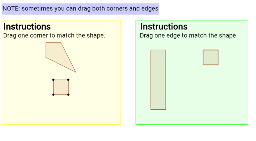
This example demonstrates how to use GeoGebra to draw polygons. It involves key mathematical concepts such as polygon construction and geometric construction. By using the Polygon command, users can easily draw polygons and modify their shapes by adjusting object properties. Suitable for middle school and above students or teachers.
GeoGebra Commands & Parameters
Polygon(Q, R, S, T) → poly1, q, r, s, tPolygon(A, B, C, D) → poly2, a, b, c, dPolygon(E, F, G, H) → poly3, e, f, g, hPolygon(Q_1, R_1, S_1, T_1) → poly1_1, q_1, r_1, s_1, t_1Polygon(Q_2, R_2, S_2, T_2) → poly1_2, q_2, r_2, s_2, t_2Polygon(Q_3, R_3, S_3, T_3) → poly1_3, q_3, r_3, s_3, t_3
AI Drawing Prompt Reference
Draw a quadrilateral using points Q, R, S, T as vertices. Then draw another quadrilateral using points A, B, C, D as vertices. Next, draw a third quadrilateral using points E, F, G, H as vertices. Finally, draw three modified quadrilaterals using points Q_1, R_1, S_1, T_1; Q_2, R_2, S_2, T_2; and Q_3, R_3, S_3, T_3 as vertices.
The prompt above was compiled from the original drawing commands and is for reference only.