
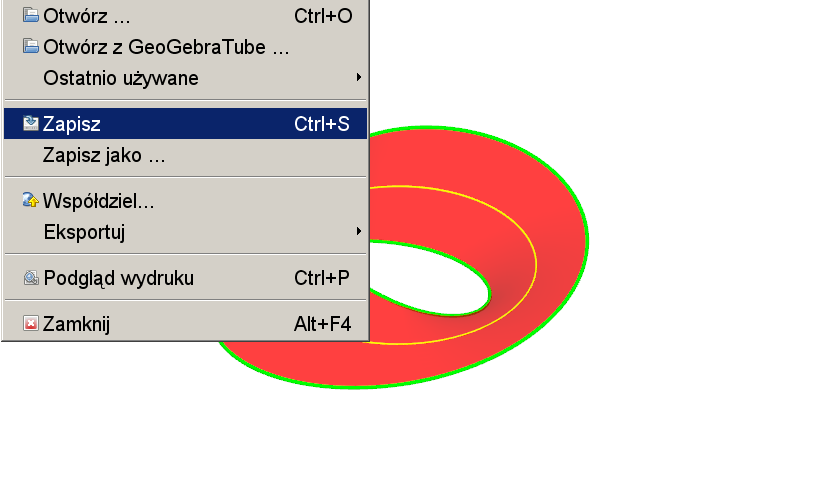
Möbius Strip + Normal Vector
Loading the math board and drawing, please wait…
In collections
My 3D Collection
This example demonstrates the 3D visualization of a Möbius strip and its normal vectors, highlighting a one-sided surface. Key math concepts include vectors in 3D, surfaces, sine functions, normal distributions, and trigonometry. Construction involves commands like Surface, CurveCartesian, Intersect, Segment, Derivative, and Vector. Suitable for high school students and math enthusiasts exploring spatial geometry and vector analysis.
GeoGebra Commands & Parameters
Surface(((1 + (v / 2 * cos(u / 2))) * cos(u)), ((1 + (v / 2 * cos(u / 2))) * sin(u)), (v / 2 * sin(u / 2)), v, -1, 1, u, 0, 6.283185307179586) → aCurveCartesian(((1 + (1 / 2 * cos(u / 2))) * cos(u)), ((1 + (1 / 2 * cos(u / 2))) * sin(u)), (1 / 2 * sin(u / 2)), u, 0, 12.566370614359172) → bIntersect(xAxis, yAxis) → OSegment(B, A) → dCurveCartesian(cos(t), sin(t), 0, t, 0, 6.283185307179586) → cDerivative(c) → c'Vector(c(t), c(t) + c'(t)) → uVector(C, B) → vVector(c(t), c(t) + w) → e
AI Drawing Prompt Reference
Visualize a 3D Möbius strip with its normal vectors to highlight the one-sided surface. The Möbius strip is created using a sine function, and normal vectors extend outward from the central line, showing their relationship with the surface. Start by drawing the surface of the Möbius strip, then generate multiple normal vectors on it, and finally connect the vectors to the central line to clearly display the geometric relationships.
The prompt above was compiled from the original drawing commands and is for reference only.