
Locus of Two Perpendicular Line Segments
Loading the math board and drawing, please wait…
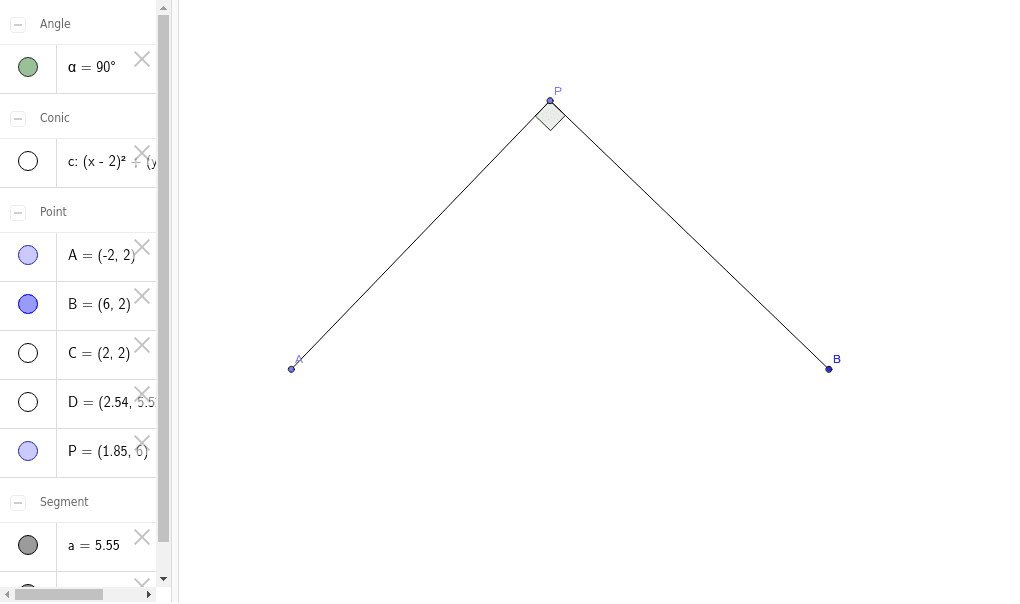
①This example demonstrates the locus traced by the endpoint of a line segment that remains perpendicular to another rotating segment.②Core mathematical concepts include perpendicularity, locus generation, and dynamic geometric relationships.③Construction uses GeoGebra commands: Circle, Point, Segment, and Angle, involving objects C, B, c, P, A, a, b, D, and angle α, where the angle parameter drives the rotation and the perpendicular segment's endpoint traces the locus.④Suitable for high school or early college geometry and dynamic mathematics instruction, helping students understand loci, perpendicular properties, and parametric constructions.
GeoGebra Commands & Parameters
Circle(C, B) → cPoint(c) → PPoint(c) → ASegment(A, P) → aSegment(P, B) → bAngle(A, P, B) → α
AI Drawing Prompt Reference
Draw a circle with a fixed center. Place two moving points on the circle. Connect the center to one point to form a radius, and connect the two points to form a chord. Construct a right angle between the chord and the radius. As one point moves along the circle, the other point moves accordingly to keep the angle at 90 degrees. The path traced by the second point forms a curve, which is the desired locus. Show the circle, radius, chord, right angle marker, and the traced curve clearly.
The prompt above was compiled from the original drawing commands and is for reference only.