
Locus Magic Q2
Loading the math board and drawing, please wait…
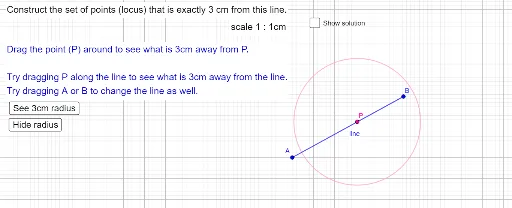
This example demonstrates the locus of a quadratic equation. It involves key mathematical concepts such as quadratic equations and loci. Using GeoGebra commands like Point, Segment, Circle, Intersect, etc., the locus of a quadratic equation can be constructed. Suitable for high school math education and students learning about quadratic equation loci.
GeoGebra Commands & Parameters
Point(Circle[A, 6]) → BSegment(A, B) → lineCircle(P, 3) → cCircle(A, 3) → dCircle(B, 3) → eOrthogonalLine(A, line) → fOrthogonalLine(B, line) → gIntersect(d, f, 2) → CIntersect(d, f, 1) → DIntersect(e, g, 1) → EIntersect(e, g, 2) → FIntersect(f, g) → GSegment(C, F) → hSegment(E, D) → iSemicircle(F, E) → kSemicircle(D, C) → p
AI Drawing Prompt Reference
Draw the locus of a quadratic equation. Start by drawing a circle with center A and radius 6 to get point B. Then, connect points A and B to form line line. Next, draw two circles with centers A and B and radius 3 to get circles c and d. Then, draw perpendicular lines to line line through points A and B to get lines f and g. After that, find intersection points C and D of circle d and line f, and points E and F of circle e and line g. Finally, find intersection point G of lines f and g, and draw segments CF, ED, and semicircles k and p with diameters EF and EC.
The prompt above was compiled from the original drawing commands and is for reference only.