
Location of Irrational Number on Number Line
Loading the math board and drawing, please wait…
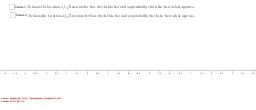
This example demonstrates how to locate irrational numbers on a number line. It involves core math concepts like real numbers, number line, and irrational numbers. Construction highlights include using GeoGebra commands and objects such as Point, OrthogonalLine, Circle, Intersect, Segment, CircleArc. Suitable for high school mathematics education to visually aid students in understanding the geometric meaning and representation of irrational numbers on the number line.
GeoGebra Commands & Parameters
Point(xAxis) → OPoint(xAxis) → AOrthogonalLine(A, xAxis) → fCircle(A, Distance[O, A]) → cIntersect(c, f, 2) → BSegment(O, B) → gPoint(c) → CPoint(c) → D_1CircleArc(A, C, D_1) → dCircle(O, Distance[O, B]) → ePoint(e) → EPoint(e) → FCircleArc(O, E, F) → hIntersect(h, xAxis, 1) → POrthogonalLine(B, g) → iCircle(B, Distance[B, D_1]) → kIntersect(k, i, 2) → D_2Point(k) → GPoint(k) → HSegment(O, D_2) → jCircle(O, Distance[O, D_2]) → qPoint(q) → IPoint(q) → JCircleArc(O, I, J) → rIntersect(r, xAxis, 1) → KSegment(O, A) → lCircleArc(B, L, M) → c_1Intersect(c_1, i, 1) → D_3Intersect(c_1, i, 1) → D
AI Drawing Prompt Reference
Draw a number line with two initial points on it. From one point, construct a perpendicular line to the number line. Using that point as center and the distance between the two points as radius, draw a circle intersecting the perpendicular at an upper point. Connect the starting point to this upper point. Then, with the starting point as center and this segment length as radius, draw an arc intersecting the number line at the first irrational location. Next, at that intersection, construct another perpendicular to the segment, and with that intersection as center and a suitable radius, draw a circle to get a new point on the perpendicular. Connect the starting point to this new point, and again with the starting point as center and this new segment length as radius, draw an arc to mark the second irrational point on the number line. Repeat similar steps to mark additional irrational points, keeping all auxiliary arcs and perpendiculars visible.
The prompt above was compiled from the original drawing commands and is for reference only.