
Locating and Labeling Values on the Real Number Line
Loading the math board and drawing, please wait…
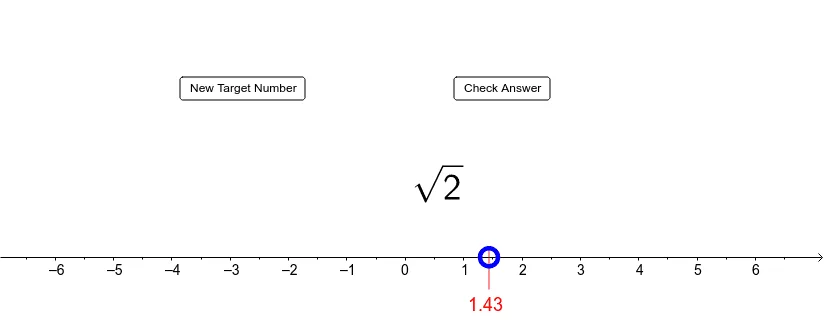
This GeoGebra example demonstrates how to graph numbers on the real number line by creating points and dynamically labeling the corresponding values. Students can visually connect algebraic expressions (such as constructed fractions and related computed quantities) with their geometric positions. Key concepts include the real number line, coordinate interpretation, fraction construction (numerator/denominator handling), and evaluating expressions (optionally involving square roots) to obtain the numerical coordinate to plot. Construction-wise, it uses Point to create key locations, Random and RandomElement to generate varying parameters, If for conditional logic that selects or formats the expression, FractionText to display fractions as text, and CurveCartesian to draw any required Cartesian curves/auxiliary elements. Multiple text objects (e.g., text1–text5) label intermediate values and final coordinates, while controls such as buttons and checkboxes (button1/button2/check) govern updates and visibility. Suitable for late middle school through early university, especially for graphing fundamentals, number-line intuition, and interactive algebra-to-geometry translation.
GeoGebra Commands & Parameters
Point(xAxis) → ARandom(1, 20) → nRandomElement({2, 3, 5, 6, 7, 8, 10, 11, 12, 13, 14, 15, 17, 18, 19, 20, 21, 22, 23, 24}) → aRandomElement({2, 3, 4, 5, 6, 7, 8, 9, 10}) → denomRandom(-20, 20) → numFractionText(frac) → text2If(n ≟ 1, "π", If[n ≟ 2, "ℯ", If[(2 < n) ∧ (n < 11), text1, text2]]) → text3Point(yAxis) → BIf(n ≟ 1, 3.141592653589793, If[n ≟ 2, 2.718281828459045, If[(2 < n) ∧ (n < 11), sqrt(a), frac]]) → actualanswerIf((abs(x(A) - actualanswer) < 0.1) ∧ check, "Good Work!", If[(abs(x(A) - actualanswer) ≥ 0.1) ∧ check, "Keep Trying!"]) → text4CurveCartesian(x(A), t, t, -0.7, 0.2) → b
AI Drawing Prompt Reference
Draw a number line and place a point A to represent a random integer n. Depending on the value of n, draw π, ℯ, or a random fraction. Place another point B on the number line to represent a random number. Check if point A is correctly positioned and provide feedback.
The prompt above was compiled from the original drawing commands and is for reference only.