
Lissajou Curve
Loading the math board and drawing, please wait…
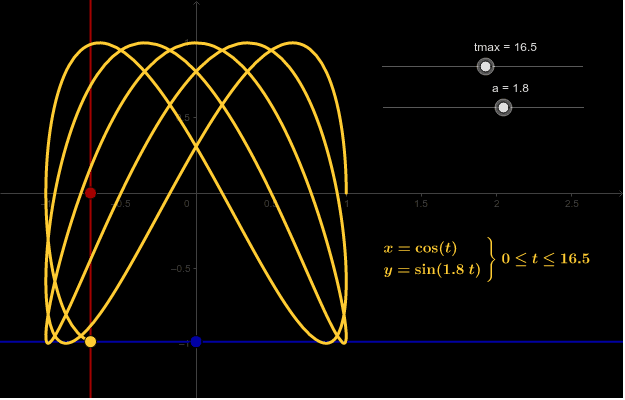
This example demonstrates Lissajou curves, specifically showing how the curve becomes a circle when parameter a equals 1. Core mathematical concepts include parametric equations, trigonometric functions, coordinate geometry, and locus. The construction uses GeoGebra commands like CurveCartesian for parametric plotting and Line for straight lines, involving parameters and objects such as tmax, a, g, c, f, A, B, b, d, C. Suitable for high school mathematics education to explore parametric equations and graphical transformations.
GeoGebra Commands & Parameters
CurveCartesian(cos(t), sin((a * t)), t, 0, tmax) → cLine(A, yAxis) → bLine(B, xAxis) → d
AI Drawing Prompt Reference
Draw a Lissajou curve using the cosine and sine functions of parameter t, showing how it becomes a circle when the parameter a equals 1, and add two straight lines passing through the origin, one vertical and one horizontal, to illustrate the curve's relationship with the coordinate axes.
The prompt above was compiled from the original drawing commands and is for reference only.