
Lines in Parametric Form
Loading the math board and drawing, please wait…
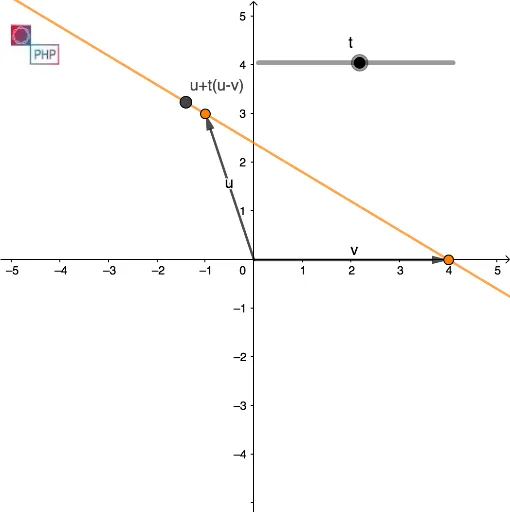
This example demonstrates how to represent lines using parametric equations and visually illustrates their geometric properties. Key math concepts include parametric equations, vectors, coordinate geometry, and similarity transformations. It uses GeoGebra commands like Intersect, Vector, and Line to construct and display the lines. Suitable for high school and above students learning about the application of parametric equations in geometry.
GeoGebra Commands & Parameters
Intersect(xAxis, yAxis) → CVector(C, A) → uVector(C, B) → vLine(A, B) → f
AI Drawing Prompt Reference
Draw two lines to illustrate how they can be represented using parametric equations, marking the intersection point of the x and y axes. From this point, draw two directed line segments, one pointing to the start and the other to the end of each line. Define the direction vectors of the lines using these segments and use them to draw the lines, showcasing their parametric equation representation and geometric properties.
The prompt above was compiled from the original drawing commands and is for reference only.