
Linear Relationships: Slope (Quiz) II
Loading the math board and drawing, please wait…
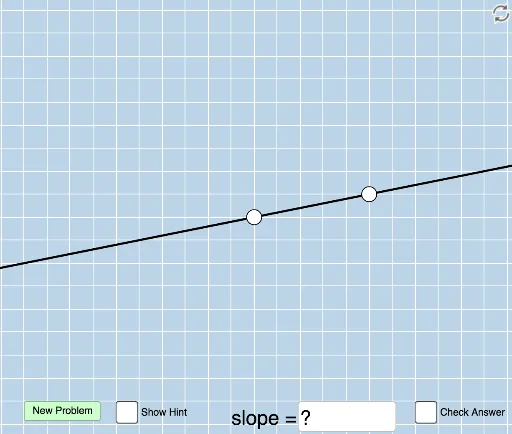
This interactive GeoGebra example presents a quiz focused on determining the slope of a line through mere visual inspection, providing immediate feedback. It demonstrates core concepts of linear functions, slope calculation, and geometric interpretation of linear relationships. Construction employs GeoGebra commands such as Sequence, Random, Line, Intersect, Slope, along with objects including vectors, distances, angles, and polygons to dynamically generate random lines and guide users in slope estimation. Suitable for middle and high school mathematics, it supports the development of geometric intuition and quantitative reasoning in linear function units.
GeoGebra Commands & Parameters
Sequence(i, i, -10, -1) → aSequence(i, i, -5, 5) → wSequence(i, i, -10, -1) → bSequence(i, i, 1, 10) → cUnion(b, c) → dRandom(-12, 12) → eLine(A, B) → gFractionText(Slope[f]) → text1FractionText(f(0)) → text2Intersect(h, i) → CPolygon(A, C, B) → poly1, b_1, a_1, c_1Vector(A, C) → uVector(C, B) → vAngle(B, C, A) → αDistance(A, C) → distanceACDistance(C, B) → distanceCBTextfield(n) → InputBox1Line(A, B) → pSlope(p) → oFractionText(n) → text3FractionText(n) → text6
AI Drawing Prompt Reference
Create an interactive graph that dynamically generates random lines to practice visually estimating their slopes. Include two randomly generated lines: one for calculating and displaying the actual slope, and another for user input. Show text labels for both the actual slope and the user's guessed slope. Draw a triangle formed by the intersection of the two lines and a randomly generated vertical line, labeling the triangle's sides and angles to illustrate the geometric meaning of slope.
The prompt above was compiled from the original drawing commands and is for reference only.