
Linear Functions Slope-Intercept Form Practice - GeoGebra Interactive
Loading the math board and drawing, please wait…
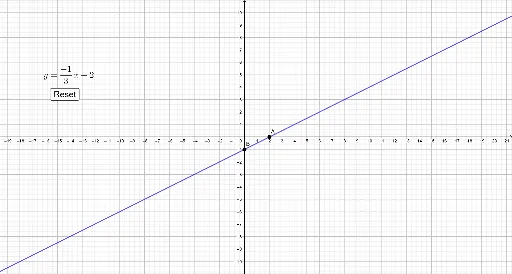
① This example demonstrates an interactive GeoGebra practice for graphing linear functions in slope-intercept form (y = mx + b), where students generate random problems and check their answers instantly. ② Core math concepts include slope (m), y-intercept (b), linear equations, point-slope to slope-intercept conversion, and intersections with axes. ③ Construction highlights: using GeoGebra commands Point, Random, If, Line, Intersect, and Slope to create random points A and B, compute slope m and intercept b, and define the target line f; a button (button1) triggers new random problems; text objects (text1, text3) display the prompt and feedback; the student's drawn line g is compared via the Slope command for automatic grading. ④ Suitable for middle school to high school students learning linear functions, ideal for classroom practice, self-study, or teacher demonstrations, emphasizing visual learning and immediate feedback.
GeoGebra Commands & Parameters
Point(eq1) → CRandom(1, 5) → dxRandom(-5, 5) → dyIf(dy ≠ 0, dy / dx, (dy + 1) / dx) → mLine(A, B) → fIntersect(f, x = 0) → b_{temp}Slope(f) → m_{0}Random(-5, 5) → b
AI Drawing Prompt Reference
Draw a line with a random slope and y-intercept. First, randomly generate two points A and B on the coordinate plane, then calculate the slope m and y-intercept b of the line passing through these two points. Next, draw the line and find the y-intercept point on the y-axis. Finally, ask the user to draw a line, and the AI will automatically check if the line matches the calculated slope.
The prompt above was compiled from the original drawing commands and is for reference only.