
Linear Function GeoGebra Example
Loading the math board and drawing, please wait…
In collections
Students' linear functions
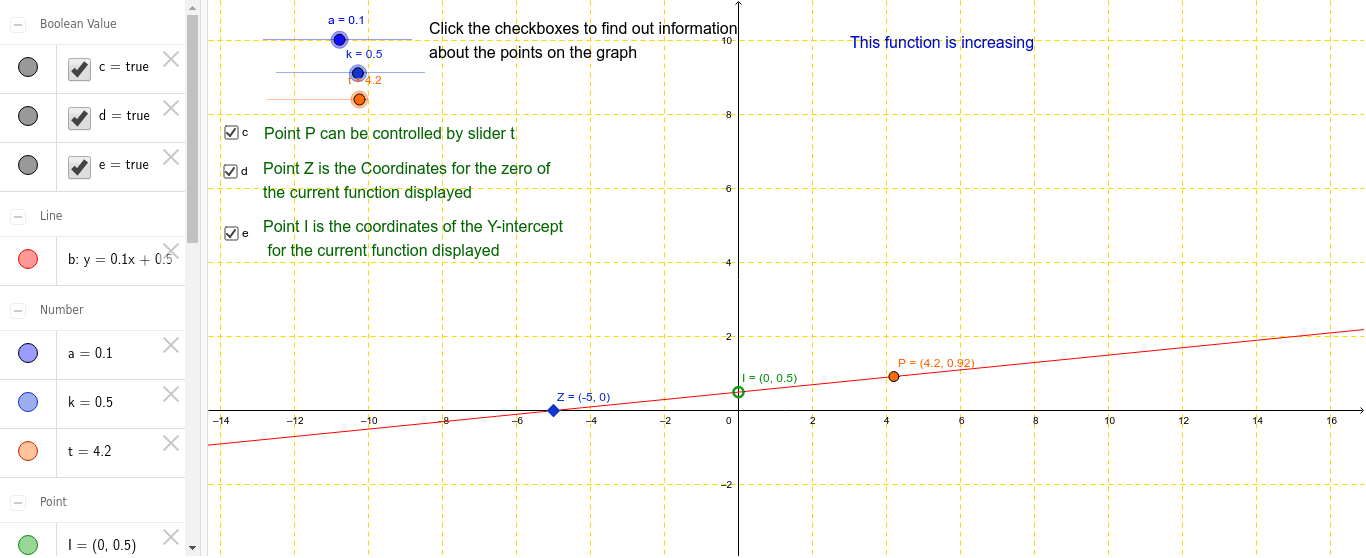
This example demonstrates a linear function created by a student, showcasing its graph and properties. Core math concepts include linear functions, coordinate systems, and geometric transformations. GeoGebra commands/objects used are a, k, b, I, Z, t, at, P, text1, text2, text3, c, d, e, text4, text5, text6, text7, for defining parameters, plotting graphs, and adding textual annotations. Suitable for high school mathematics teaching, focusing on function graphing and parameter influence analysis.
GeoGebra Commands & Parameters
Numeric a(0.1)Numeric k(0.5)y = a * x + k(0, k)((-k) / a, 0)Numeric t(4.2)a * t(t, at + k)Boolean c(true)Boolean d(true)Boolean e(true)
AI Drawing Prompt Reference
Draw the graph of a linear function, showing its intersection points with the coordinate axes. Label the values of parameters a and k. Take a point t on the x-axis, plot the corresponding function value, and draw a line connecting the origin to this point. Add text annotations for parameters a and k, and the function's equation.
The prompt above was compiled from the original drawing commands and is for reference only.