
Linear Equation Application: Perimeter of a Rectangle
Loading the math board and drawing, please wait…
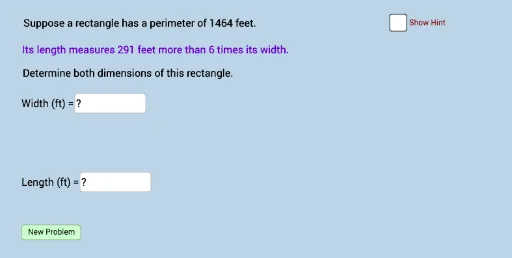
This example demonstrates solving the perimeter of a rectangle using linear equations. Key mathematical concepts include linear equations and rectangle perimeter. It uses commands like constructing a polygon, calculating distance, etc. Suitable for middle school math education to help students understand the practical application of linear equations.
GeoGebra Commands & Parameters
Random(30, 90) → wRandom(2, 10) → bRandom(1, ((b - 1) * w) - 5) → aRandom(0, 1) → nTextfield(c) → InputBox1Textfield(d) → InputBox2Polygon(A, B, D, C) → poly1, a_1, b_1, d_1, c_1Segment(A, B) → jSegment(B, D) → kSegment(D, C) → lSegment(C, A) → mAngle(D, B, A) → αAngle(B, A, C) → βAngle(A, C, D) → γAngle(C, D, B) → δDistance(A, B) → distanceABDistance(A, j) → distanceAjDistance(A, C) → distanceAC
AI Drawing Prompt Reference
Draw a rectangle with a length of a randomly generated w and a width of a randomly generated a. The four vertices of the rectangle are A, B, C, and D, where AB and CD are the lengths, and AD and BC are the widths. Use segments to connect these points and calculate and display the lengths of AB and AD.
The prompt above was compiled from the original drawing commands and is for reference only.