
Lights Out! by David Radcliffe
Loading the math board and drawing, please wait…
In collections
Games
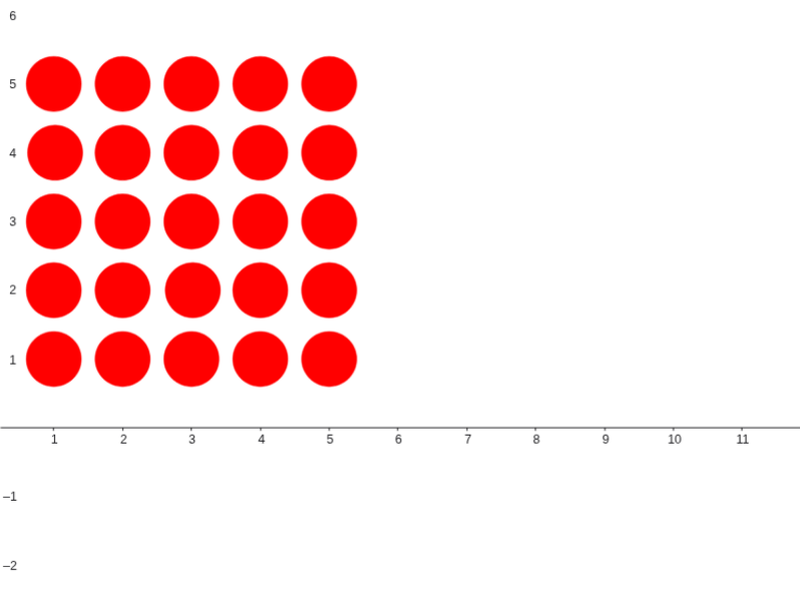
This is a classic electronic puzzle game version where the goal is to turn off all the lights by clicking on them. The example involves geometric construction and vector concepts. It uses commands like Intersect, Point, Vector, and Circle, suitable for middle school and above students to learn geometry and logical thinking.
GeoGebra Commands & Parameters
Intersect(xAxis, yAxis) → BPoint(xAxis) → CVector(B, C) → vxCircle((1, 1), 0.4) → c11Circle((2, 1), 0.4) → c21Circle((3, 1), 0.4) → c31Vector(B, D) → vyCircle((1, 2), 0.4) → c12Circle((1, 3), 0.4) → c13Circle((1.02, 4), 0.4) → c14Circle((2, 2), 0.4) → c22Circle((2, 3), 0.4) → c23Circle((3.02, 2), 0.4) → c32Circle((3, 3), 0.4) → c33Circle((3, 4), 0.4) → c34Circle((4, 3), 0.4) → c43Circle((4, 4), 0.4) → c44Circle((5, 1), 0.4) → c51Circle((5, 2), 0.4) → c52Circle((5, 3), 0.4) → c53Circle((5, 4), 0.4) → c54Circle((1, 5), 0.4) → c15Circle((2, 4), 0.4) → c24Circle((2, 5), 0.4) → c25Circle((4, 5), 0.4) → c45Circle((5, 5), 0.4) → c55Circle((3, 5), 0.4) → c35Circle((4, 1), 0.4) → c41Circle((4, 2), 0.4) → c42
AI Drawing Prompt Reference
Draw a grid of overlapping circles centered near the origin of a coordinate system, with some circles slightly smaller at the edges. The grid is roughly a 6x6 rectangle. Represent vectors showing directions to the right and upwards from the center and mark key points along these vectors. The entire image illustrates geometric construction and vector concepts, suitable for learning geometry and logical thinking.
The prompt above was compiled from the original drawing commands and is for reference only.