
Law of Sines Ambiguous Cases
Loading the math board and drawing, please wait…
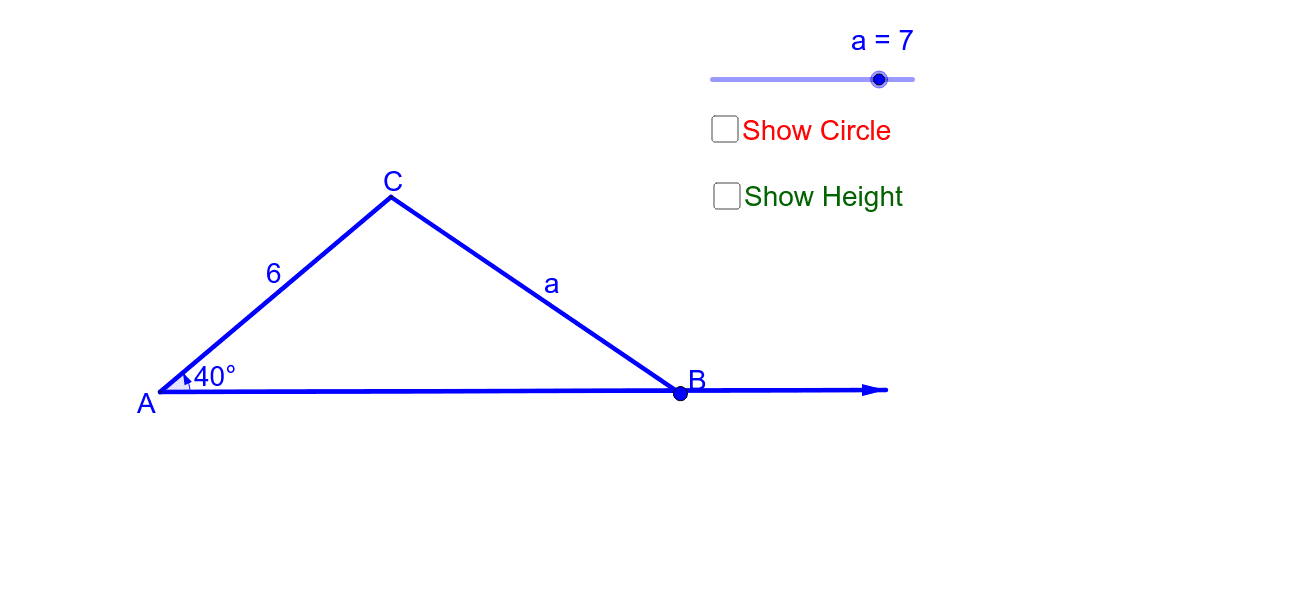
This interactive GeoGebra example allows students to manipulate the side lengths of a triangle to explore the ambiguous cases of the Law of Sines, where given two sides and a non-included angle can yield zero, one, or two possible triangles. The core mathematical concepts include the Law of Sines, triangle existence criteria, side-angle relationships, and multi-solution analysis. The construction uses GeoGebra commands such as Segment, Circle, Point, OrthogonalLine, Intersect, and Angle to build a dynamic triangle with adjustable sidescars. It is ideal for high school or introductory college trigonometry courses, helping learners visualize when the ambiguous case occurs and how to determine the number of solutions.
GeoGebra Commands & Parameters
Segment(A, C) → bVector(A, C_1) → uCircle(C, a) → cPoint(c) → BSegment(C, B) → qOrthogonalLine(C, u) → dSegment(A, C_1) → eIntersect(e, d) → EAngle(A, E, C) → αSegment(C, E) → hIntersect(c, e, 1) → FIntersect(c, e, 2) → GSegment(F, C) → iSegment(C, G) → jAngle(C_1, A, C) → β
AI Drawing Prompt Reference
Draw a triangle with two adjustable side lengths and a non-included angle. By manipulating the sides and angle, show that the triangle can have zero, one, or two possible solutions. Start by drawing two sides and the included angle, then draw a circle centered on one side. Extend the other side and let the circle intersect it at two points. Connect these points to the other side to form two possible triangles. Label the angles of both triangles to analyze the relationships.
The prompt above was compiled from the original drawing commands and is for reference only.