
LabQ9 Geometric Construction Example
Loading the math board and drawing, please wait…
In collections
Geogebra Investigations
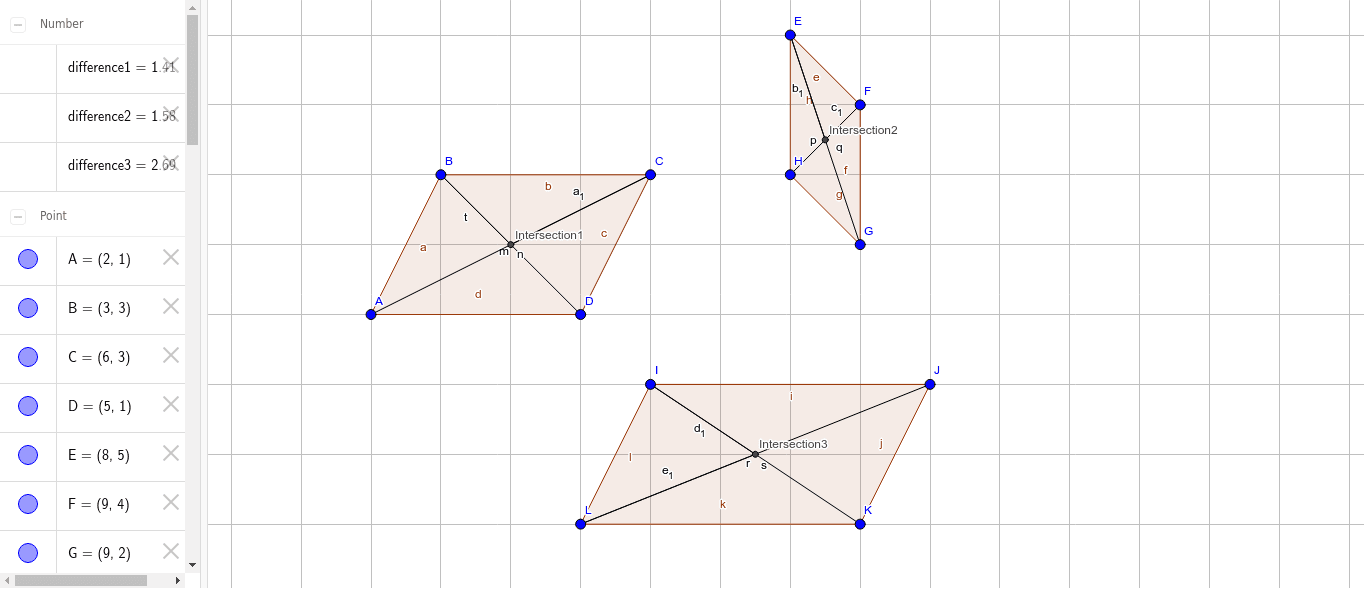
This example demonstrates polygon construction and the application of special points; involves core math concepts like percentages, special points, line segment operations, addition, and median lines; construction highlights include using Polygon, Segment, and Intersect commands; suitable for high school mathematics teaching, focusing on geometric construction and concept comprehension.
GeoGebra Commands & Parameters
Polygon(A, B, C, D) → poly1, a, b, c, dPolygon(E, F, G, H) → poly2, e, f, g, hPolygon(I, J, K, L) → poly3, i, j, k, lSegment(B, D) → mSegment(A, C) → nSegment(E, G) → pSegment(H, F) → qSegment(I, K) → rSegment(L, J) → sIntersect(m, n) → Intersection1Intersect(p, q) → Intersection2Intersect(r, s) → Intersection3Segment(B, Intersection1) → tSegment(C, Intersection1) → a_1Segment(E, Intersection2) → b_1Segment(F, Intersection2) → c_1Segment(I, Intersection3) → d_1Segment(Intersection3, L) → e_1
AI Drawing Prompt Reference
Draw three quadrilaterals, each formed by connecting four vertices in order. In each quadrilateral, connect one pair of opposite vertices to create a diagonal, then connect the other pair of opposite vertices to create another diagonal, so the two diagonals intersect at a point. From that intersection point, draw two segments to two adjacent vertices of the quadrilateral, one to each. Repeat this for all three quadrilaterals. The final figure shows three quadrilaterals, each with two intersecting diagonals and two extra segments from the intersection to two vertices.
The prompt above was compiled from the original drawing commands and is for reference only.