
Kite, Translation, and Derivative: A Dynamic Geometric Construction
Loading the math board and drawing, please wait…
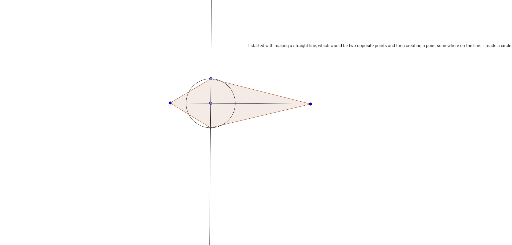
①This example demonstrates a kite-shaped polygon under translation, dynamically linking its vertex trajectories with concepts of derivative, volume, and geometric distribution in a GeoGebra interactive environment. ②Core mathematical concepts include the geometric properties of a kite (two pairs of adjacent equal sides, perpendicular diagonals), translation transformation, derivative as slope of tangent lines, volume (possibly via rotation or integration), geometric distribution (probability term), and related terminology visualized graphically. ③Construction highlights: from the summary, commands such as Segment, Point, OrthogonalLine, Circle, Intersect, and Polygon are used, creating objects A, B, f, C, g, D, c, E, poly1, a, d, b, e, and text1, which together form the kite, auxiliary lines, circles, and dynamic labels. ④Suitable for high school to early college students, this example helps visualize the connection between geometric transformations and calculus concepts, and serves as a teaching tool for dynamic mathematical relationships.
GeoGebra Commands & Parameters
Segment(A, B) → fPoint(f) → COrthogonalLine(C, f) → gPoint(g) → DCircle(C, D) → cIntersect(c, g, 2) → EPolygon(A, D, B, E) → poly1, a, d, b, e
AI Drawing Prompt Reference
Draw a kite-shaped quadrilateral ABDE. First, draw a segment f between points A and B. Then, take a point C on segment f and draw a perpendicular line g to f through C. Next, take a point D on line g. Draw a circle c with radius CD. The second intersection of circle c and line g is point E. Finally, connect points A, D, B, and E to form quadrilateral poly1.
The prompt above was compiled from the original drawing commands and is for reference only.