
Kite Quadrilateral: Angles, Segments, and Geometric Transformations
Loading the math board and drawing, please wait…
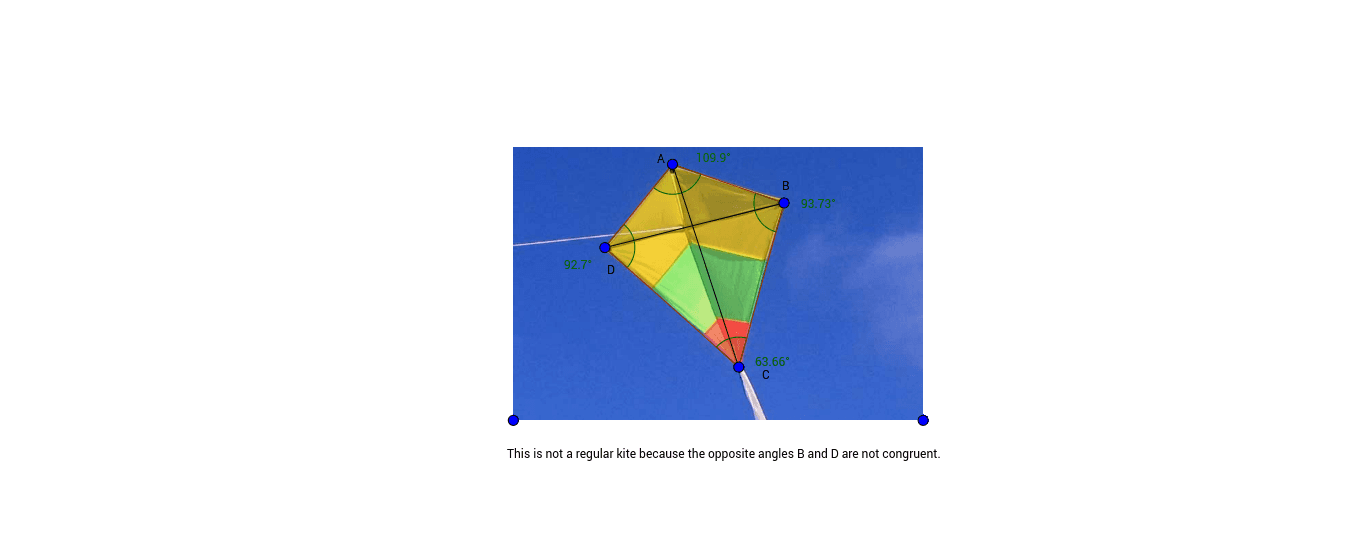
This example demonstrates a kite quadrilateral and its angle relationships, using points, segments, and angle labels to visualize geometric transformations and division of the figure. Core concepts include quadrilaterals, kite properties, sides, diagonals, interior angles, symmetry, and angle measurement. In the construction, Polygon creates poly1, Segment draws edges or auxiliary segments a, b, c, d, e, f, Angle labels α, β, γ, δ, and points A, B, C, D, E, F with text objects clarify key properties. It is suitable for middle-school or high-school geometry, quadrilateral investigations, GeoGebra construction practice, and mathematical visualization.
GeoGebra Commands & Parameters
Polygon(C, D, E, F) → poly1, c, d, e, fSegment(C, E) → aSegment(D, F) → bAngle(C, D, E) → αAngle(D, E, F) → βAngle(E, F, C) → γAngle(F, C, D) → δ
AI Drawing Prompt Reference
Draw a kite quadrilateral, label its four sides and two diagonals, and mark the measures of the four interior angles, using different colors for sides and diagonals to highlight the symmetry and angle relationships of the kite. Start by constructing the quadrilateral frame, then add the diagonals and angle labels to clearly show geometric transformations and angle divisions.
The prompt above was compiled from the original drawing commands and is for reference only.