
Kite Construction Worksheet
Loading the math board and drawing, please wait…
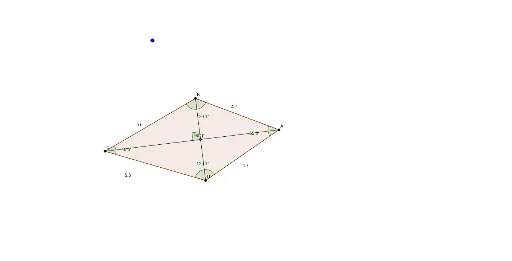
This worksheet demonstrates the construction of a kite. Key mathematical concepts include the properties of kites, reflections, and conic sections. Using GeoGebra commands such as Circle, Intersect, Segment, and Polygon, the worksheet provides a visual representation of kite geometry. Suitable for middle school and above students or teachers to understand and teach kite-related concepts.
GeoGebra Commands & Parameters
Circle(A, B) → cCircle(C, B) → dIntersect(c, d, 2) → DSegment(A, D) → aSegment(C, D) → KiteMakerSegment(C, B) → eSegment(B, A) → fPolygon(B, A, D, C) → poly7, b, a_1, d_2, c_3Angle(C, B, A) → ε_1Angle(B, A, D) → ζ_1Angle(A, D, C) → η_1Angle(D, C, B) → θ_1Distance(e, KiteMaker) → g_2Segment(B, D) → gSegment(C, A) → hIntersect(g, h) → EAngle(B, E, C) → α
AI Drawing Prompt Reference
Draw a geometric kite to demonstrate its key properties. Begin by constructing two circles that intersect at a common point. Connect these intersection points to form the kite's outline. Label the sides and angles of the kite, and show the diagonals and their intersection point. Measure and label the angles formed by the diagonals, as well as the interior angles of the kite. Finally, connect the intersection point of the diagonals to the kite's vertices with two auxiliary lines, and find their intersection point, labeling its relationship to a specific angle.
The prompt above was compiled from the original drawing commands and is for reference only.