
Kite Construction: Isosceles Triangles and Prism Interaction
Loading the math board and drawing, please wait…
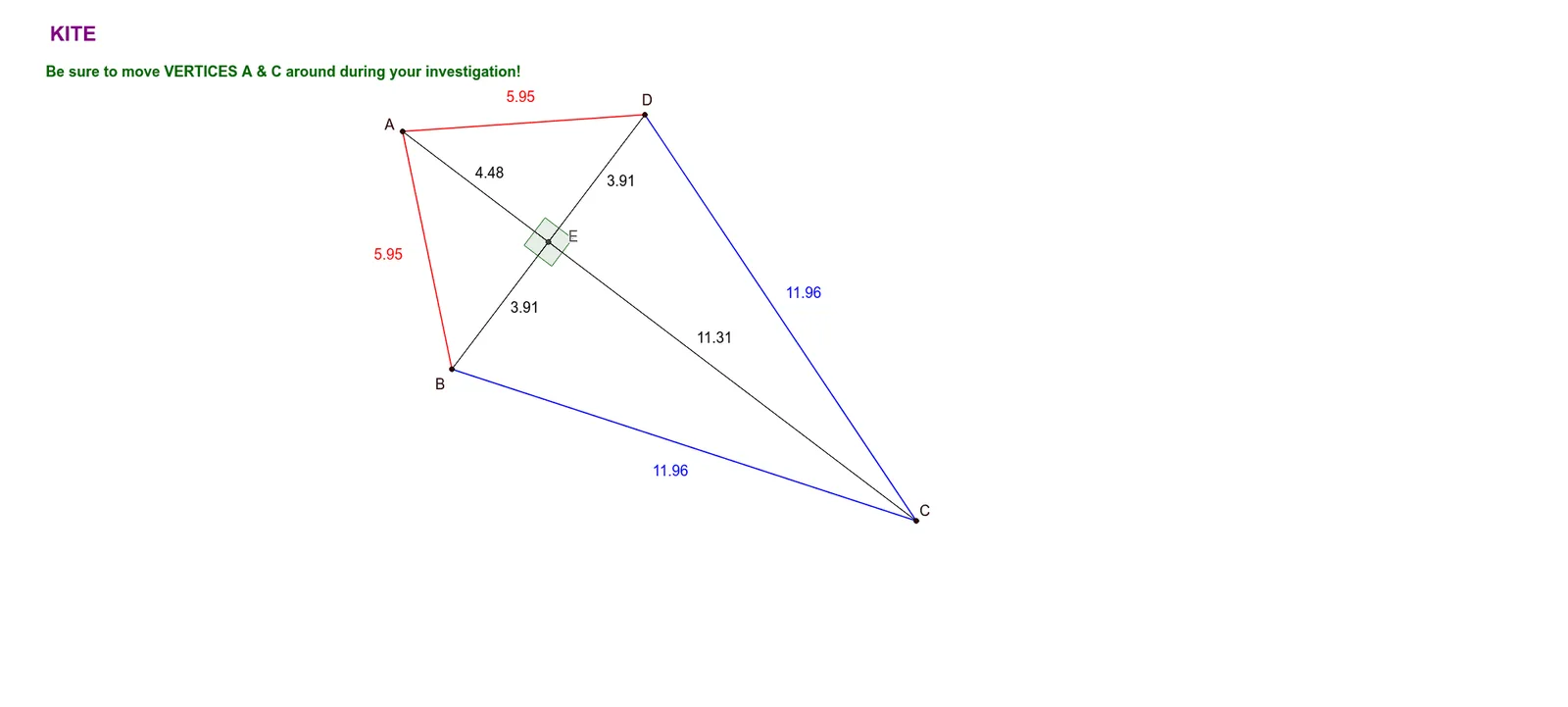
This example demonstrates the geometric construction of a kite shape, integrating isosceles triangles and a prism to show dynamic relationships. The core math concepts include kite symmetry, properties of isosceles triangles, and the projection of a prism in 2D/3D. Construction uses GeoGebra commands: Circle to define base circles, Intersect to find key points, Segment to connect vertices forming the kite, and Angle to label interior angles. Objects like A, B, C, D, E, and parameters α, β, γ, δ allow interactive adjustments. Suitable for middle/high school geometry classes to explore quadrilateral properties, triangle congruence, and spatial visualization.
GeoGebra Commands & Parameters
Circle(A, B_1) → cCircle(C, D_1) → dIntersect(c, d, 1) → DIntersect(c, d, 2) → BSegment(D, C) → aSegment(C, B) → bSegment(D, A) → eSegment(A, B) → fSegment(A, C) → gSegment(B, D) → hIntersect(h, g) → EAngle(A, E, B) → αAngle(D, E, A) → βAngle(B, E, C) → γAngle(C, E, D) → δSegment(B, E) → iSegment(E, D) → jSegment(A, E) → kSegment(E, C) → l
AI Drawing Prompt Reference
Draw a kite-shaped quadrilateral formed by two intersecting circles. Start with two circles; their intersection points define the left and right vertices. Connect the top and bottom vertices to the left and right vertices to form four sides. Then draw the two diagonals; their intersection is the center point. From the center, draw segments to each of the four vertices, dividing the kite into four triangles. Finally, mark four interior angles at the center, each between adjacent segments. The shape is symmetric and adjustable by changing circle sizes.
The prompt above was compiled from the original drawing commands and is for reference only.