
Kite Construction by jebowman
Loading the math board and drawing, please wait…
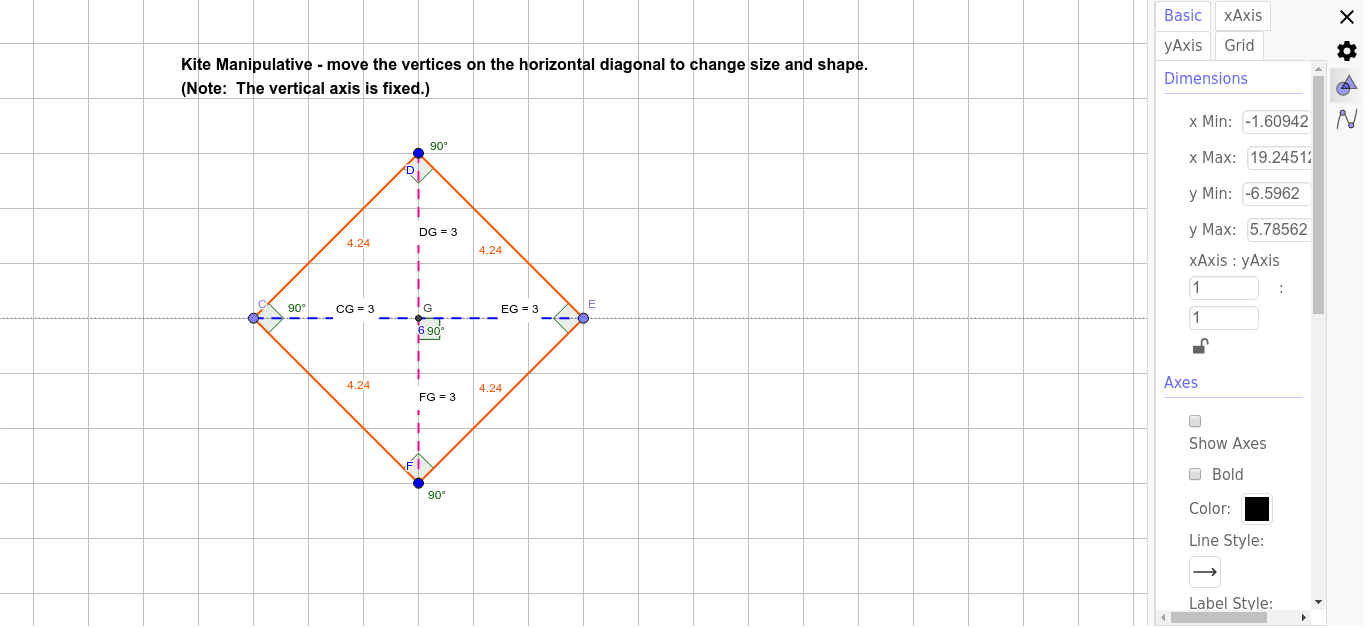
This example demonstrates the construction of a kite. Key mathematical concepts include the properties of a kite and geometric construction. Using GeoGebra commands such as Line, Point, Segment, Angle, and Intersect, the example dynamically shows the various components of a kite and their relationships. Suitable for middle school and above students to learn geometric construction and kite properties.
GeoGebra Commands & Parameters
Line(A, B) → TrackForVerticesPoint(TrackForVertices) → CSegment(C, D) → bPoint(TrackForVertices) → ESegment(D, E) → cSegment(E, F) → dSegment(F, C) → eSegment(D, F) → Minor_DiagonalSegment(C, E) → fAngle(Minor_Diagonal, f) → αAngle(F, C, D) → βAngle(D, E, F) → γAngle(C, D, E) → δAngle(E, F, C) → εIntersect(TrackForVertices, Minor_Diagonal) → GDistance(D, G) → distanceDGDistance(F, G) → distanceFGDistance(C, G) → distanceCGDistance(E, G) → distanceEG
AI Drawing Prompt Reference
Draw a kite ABCD with points A at (0,0), B at (4,0), C at (4,3), and D at (0,3). Connect the diagonals AC and BD and mark their intersection point as O. Measure and display the angles A, B, C, and D, as well as the lengths of segments AO, BO, CO, and DO.
The prompt above was compiled from the original drawing commands and is for reference only.