
Kite Area
Loading the math board and drawing, please wait…
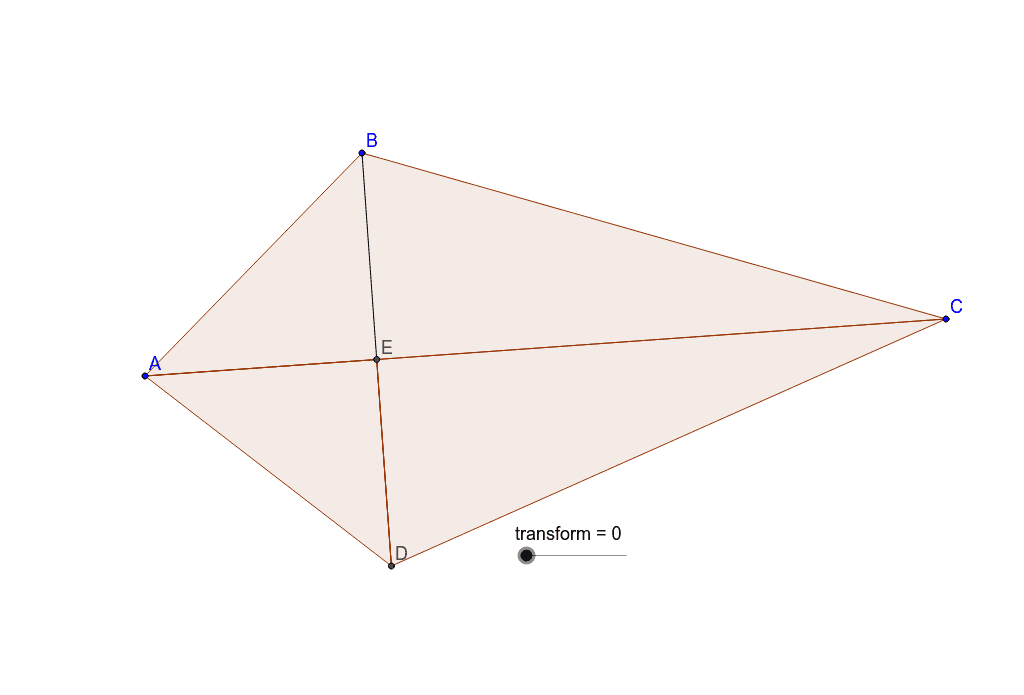
This example demonstrates how to calculate the area of a kite using geometric construction. Key mathematical concepts include the properties of kites and trigonometry. Using GeoGebra commands such as Circle, Intersect, Polygon, Segment, etc., a kite can be constructed and its area calculated. Suitable for middle school and above students learning geometry and trigonometry.
GeoGebra Commands & Parameters
Circle(A, B) → cCircle(C, B) → dIntersect(c, d, 2) → DPolygon(A, B, C) → poly1, c_1, a, bSegment(B, D) → eIntersect(b, e) → EPolygon(A, E, D) → poly2, d_1, a_1, e_1Polygon(E, D, C) → poly3, c_2, e_2, d_2OrthogonalLine(A, b) → fOrthogonalLine(B, e) → gIntersect(f, g) → FMidpoint(c_1) → GMidpoint(e_1) → HCircle(H, D) → hCircle(G, A) → kRotate(D, transform°, H) → D'Rotate(A, (-(transform°)), G) → A'Rotate(E, transform°, G) → E'OrthogonalLine(D', e_1) → iOrthogonalLine(A', c_1) → jSegment(F, E) → lOrthogonalLine(E', l) → mIntersect(m, l) → IIntersect(j, c_1) → JPolygon(I, D', J) → poly4, j_1, i_1, d'Intersect(i, e_1) → KPolygon(J, I, K) → poly5, k_1, j_2, i_2OrthogonalLine(C, g) → nIntersect(g, n) → LMidpoint(E, L) → MMidpoint(D, C) → NCircle(N, C) → pCircle(M, C) → qSegment(D, C) → rRotate(D, (-(transform°)), N) → D'_1Rotate(C, transform°, M) → C'Rotate(E, (-(transform°)), M) → E'_1Segment(E, L) → sOrthogonalLine(E'_1, s) → tOrthogonalLine(D'_1, r) → b_1OrthogonalLine(C', a) → f_1Intersect(t, s) → OIntersect(f_1, a) → PIntersect(b_1, r) → QPolygon(P, O, Q) → poly6, q_1, p_1, o
AI Drawing Prompt Reference
Draw a kite ABCD, connect its diagonals AC and BD, and find their intersection point E. Construct circles with E as the center and A, B, C, D on the circumference, and find their intersection points F, G, H, I. Find the midpoints J and K of AC and BD, construct circles with J and K as centers and AC and BD as diameters, and find their intersection points L and M. Connect points A, B, C, D, E, F, G, H, I, J, K, L, and M to form polygons and calculate their areas.
The prompt above was compiled from the original drawing commands and is for reference only.